


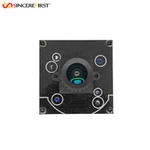
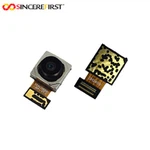
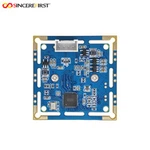
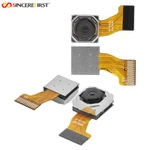
Optical Zoom Camera Module
Optical Zoom Camera Modules for Adjustable Viewing Range and OEM Imaging Systems
Optical zoom camera modules allow an imaging device to move from a wide overview to a closer view of distant or small details by changing the lens focal length, rather than only enlarging pixels. SincereFirst’s optical zoom portfolio is primarily built around USB2.0 and USB3.0 integration for PCs, industrial computers, and embedded hosts. Selected designs can also support HDMI or RJ45 interfaces and H.264 / H.265 compressed video output, depending on the model and project requirements.

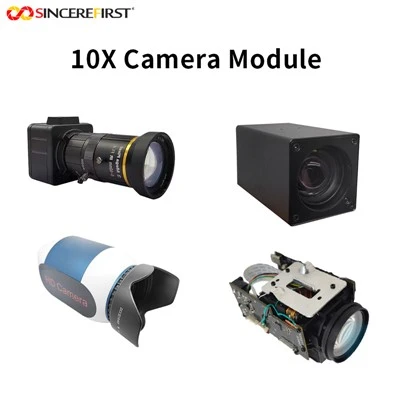
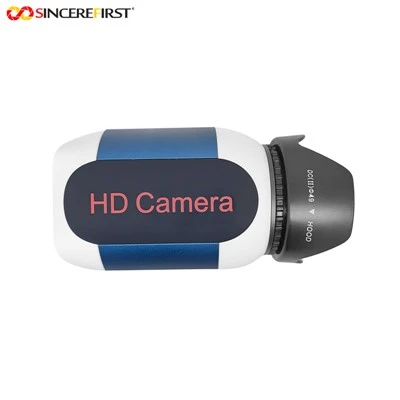
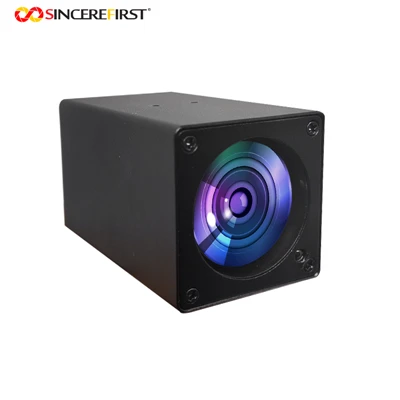
What Is an Optical Zoom Camera Module?
An optical zoom camera module combines movable lens groups, a CMOS image sensor, zoom and focus control components, image processing electronics, and a data output interface. The lens changes the optical focal length before the image is captured, allowing the camera to move between wider scene coverage and a closer view of the target.
Unlike digital zoom, which enlarges a cropped part of an existing image, optical zoom creates magnification through the lens. The usable image result still depends on the lens, sensor, lighting, focus behavior, resolution, frame rate, and output configuration selected for the project.
Why Choose an Optical Zoom Camera Module?
One Camera Position for Multiple Viewing Ranges
A single camera can move from overall scene awareness to closer target inspection without changing the mounting position or installing several fixed-focal-length cameras.
01
More Usable Detail at Longer Distances
Because magnification is created optically before capture, distant features remain more usable than when the same image is only cropped and enlarged digitally.
02
Remote Viewing Adjustment During Operation
Motorized designs allow the host system or operator to change the viewing range while the device is running, reducing manual repositioning in remote, enclosed, or difficult-to-access equipment.
03
Integration Paths for Different System Architectures
USB2.0 and USB3.0 provide practical host-side evaluation and integration paths. Selected designs can also support display, network, or compressed-video outputs when the system requires a different data route.
04
OEM Configuration Around the Final Device
The optical, electronic, control, and mechanical design can be reviewed together so the module fits the final device rather than forcing the device around a generic camera structure.
05
How to Choose an Optical Zoom Camera Module
Working Distance, Target Size, and Field of View
Define the nearest and farthest target distance, the smallest detail that must remain visible, and the scene coverage required at the wide and telephoto ends. Compare focal length and field of view at both ends instead of selecting by zoom ratio alone.
Zoom and Focus Behavior
Choose manual zoom when the viewing range is set during installation and remains stable. Choose motorized zoom when the range must change during operation. Confirm whether manual focus, Auto Focus, or automatic refocusing after zoom is required, and validate focus stability at the real working distance.
Image Capture Performance
Select resolution and frame rate according to the required detail and target motion. Rolling Shutter can suit general observation, while Global Shutter and external trigger should be evaluated for moving targets, synchronized capture, or timing-sensitive imaging. Available combinations vary by model.
Interface and Video Output
USB2.0 and USB3.0 are the primary paths in this category. The correct choice depends on resolution, frame rate, output format, cable length, host bandwidth, and system compatibility. Selected designs may also support HDMI, RJ45, MJPG, YUY2, H.264, or H.265, depending on the required system architecture.
Software and Control Integration
Confirm whether the project only needs standard UVC preview or also requires software control of zoom, focus, exposure, trigger, or image settings. Operating system, API or SDK requirements, latency, and host-side processing should be checked before sample selection.
Mechanical and Operating Conditions
Confirm the available installation space, With Shell or without-Shell structure, mounting points, cable routing, connector direction, power design, heat dissipation, lens clearance, and vibration conditions. Environmental protection should be designed and verified at the final-device level unless a specific module rating is confirmed.
Choose An Optical Zoom Camera Module By Application

Industrial Visual Inspection
Optical zoom allows one camera position to capture an overall workpiece view and then examine defects, markings, solder joints, or assembly details more closely. Working distance, target size, shutter type, trigger requirements, and lighting should be evaluated according to the inspection process.

Traffic And Perimeter Observation
The camera can maintain wider scene coverage while allowing operators to inspect distant vehicles, signs, entrances, or boundary areas when closer detail is required. Motorized zoom control, telephoto image quality, target motion, low-light performance, and video output should be confirmed for the final system.

Conferencing And Lecture Capture
Motorized optical zoom can switch between a room overview and closer views of speakers, presentation boards, or demonstration areas. Auto Focus performance, zoom smoothness, latency, USB or UVC compatibility, and audio-video integration are common selection priorities.

UAV And Mobile Inspection
Optical zoom enables drones and mobile inspection platforms to observe rooftops, towers, equipment, or other difficult-to-access targets from a safer operating distance. Module weight, power consumption, vibration, image stability, remote control, and installation space should be confirmed early.
Custom Optical Zoom Camera Module Options
Optical and Imaging Configuration
Sensor, resolution, shutter type, focal length range, zoom ratio, focus method, frame rate, and image tuning can be reviewed according to target detail, motion, lighting, and working distance.
Interface, Control, and Software
USB2.0 and USB3.0 are the primary integration directions. Selected projects can also evaluate HDMI, RJ45, compressed-video output, trigger control, control protocols, UVC behavior, firmware functions, and SDK or API requirements where supported.
Mechanical and Electrical Integration
PCB dimensions, cable length and direction, connector type, With Shell or without-Shell structure, mounting bracket, power design, heat dissipation, and enclosure integration can be adjusted where the selected platform supports customization.


Engineering and Manufacturing Support
SincereFirst supports optical zoom camera module projects with more than 30 years of camera module manufacturing experience, Class 10 / Class 100 dust-free COB workshops, Active Alignment manufacturing processes, and OEM / ODM development support. The project process is organized around real device requirements rather than isolated camera specifications.
1. Requirement Definition
Review the application, target distance, required detail, viewing range, host platform, control method, software environment, mechanical space, and expected production stage.
2. Module Direction and Sample Selection
Match the project with a suitable standard direction or define the scope of a custom optical zoom design before sample preparation.
3. Imaging and Integration Validation
Evaluate zoom range, focus behavior, image quality, output stability, software control, cable and connector design, and mechanical installation under the real operating conditions.
4. Production Transfer
Confirm the approved optical, electronic, software, and mechanical configuration before repeatable production and long-term supply planning.
Certifications
Available public support includes ISO quality system information and product compliance directions such as RoHS, REACH, CE and FCC where applicable. Final certification or compliance requirements should be confirmed according to the product model and target market.
FAQ
Q: What is the difference between optical zoom and digital zoom?
A: Optical zoom changes the lens focal length before the image is captured. Digital zoom enlarges a cropped part of an existing image. Optical zoom generally retains more usable information when distant details need to be viewed more closely.
Q: Is this category limited to USB optical zoom camera modules?
A: No. USB2.0 and USB3.0 are the primary integration directions covered by this page, but selected optical zoom designs may also support HDMI, RJ45, or compressed-video output. Interface availability depends on the model and project requirements.
Q: How should I determine the required zoom ratio?
A: Start with target distance, required detail, and the field of view needed at both the wide and telephoto ends. A higher zoom ratio is not automatically the better choice if it increases module size, lens complexity, or integration difficulty.
Q: Will the image remain in focus throughout the zoom range?
A: Focus performance depends on the lens design, zoom position, target distance, lighting, and whether the module uses manual focus or Auto Focus. Focus behavior should be validated with the real target and host-control method.
Q: Are 4K, Global Shutter, external trigger, H.264, and H.265 standard on every model?
A: No. These are selected capabilities, not universal features of every optical zoom camera module. The required combination must be confirmed before sample selection.
Q: What information should I provide before requesting a sample?
A: Please provide the application, target distance, smallest required detail, wide-end and telephoto viewing needs, zoom and focus control method, resolution, frame rate, shutter or trigger requirement, interface, output format, host platform, software environment, mechanical space, expected quantity, and sample test plan.