Hey there, tech enthusiasts! I'm an actual person running a Camera Raspberry Pi supply business, and I often get asked this burning question: "Can I use the Raspberry Pi camera for 360 - degree photography?" Well, let's dig deep into this topic and find out.
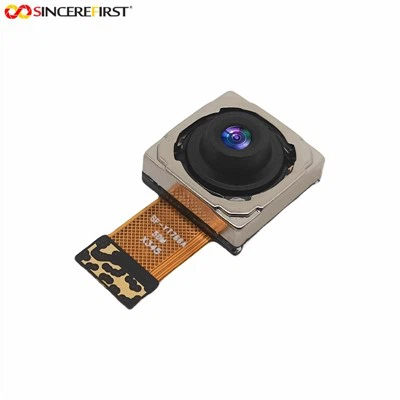
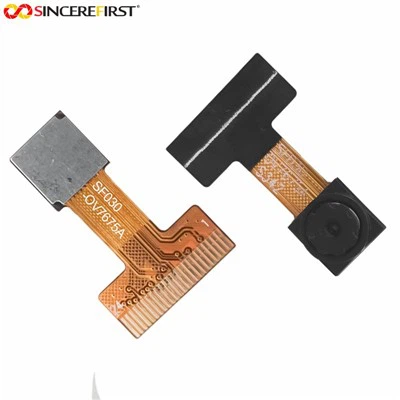
First off, what's a Raspberry Pi camera? It's a nifty little device that you can attach to your Raspberry Pi board. There are different models out there, like the 12MP Sony IMX708 Sensor Raspberry Pi Camera Module, the Arducam 8mp Autofocus, and the Arducam Camera Module. Each one has its own set of features and capabilities, which play a role in whether it can be used for 360 - degree photography.
The Basics of 360 - Degree Photography
360 - degree photography is all about capturing a full, immersive view of a scene. Instead of just getting a single - angle shot, you're getting the whole shebang. This is super useful for things like virtual tours, real - estate listings, and even some types of gaming. To achieve this, you usually need a camera setup that can cover a wide field of view.
Can a Regular Raspberry Pi Camera Do It?
The standard Raspberry Pi cameras typically have a limited field of view. They're great for normal photography, like taking pictures of your projects or doing some basic video recording. But when it comes to 360 - degree photography, they fall a bit short on their own.
These cameras are designed with a specific lens that gives them a certain horizontal and vertical field of view. For example, most of them have a field of view that's somewhere in the range of 60 - 160 degrees horizontally. That's nowhere near the 360 degrees you need for a full - circle shot.
However, that doesn't mean you can't use a Raspberry Pi camera for 360 - degree photography at all. There are some workarounds.
Workarounds and Solutions
One way to make it work is by using multiple Raspberry Pi cameras. You can set up a cluster of cameras around a central point, each facing a different direction. Then, you can use software to stitch the images or videos from these cameras together.
Let's say you use four Raspberry Pi cameras, each covering about 90 degrees of the scene. When you combine the images from these four cameras, you can get a 360 - degree view. But this setup has its challenges.
First, you need to make sure the cameras are properly calibrated. If they're not aligned correctly, the stitching process will result in a messy, distorted image. You also need to deal with issues like lighting differences between the cameras. Since each camera might be facing a different part of the scene, the lighting conditions could vary.
Another solution is to use a fisheye lens with your Raspberry Pi camera. A fisheye lens has an extremely wide field of view, often close to or even exceeding 180 degrees. By using a fisheye lens, you can capture a much wider area in a single shot.
However, fisheye lenses also come with their own set of problems. The images they produce are highly distorted. The straight lines in the scene will appear curved, and you'll need to use special software to correct this distortion and turn it into a proper 360 - degree image.
Software for 360 - Degree Photography
No matter which hardware setup you choose, software is crucial for 360 - degree photography. You'll need software to stitch the images from multiple cameras together or to correct the distortion from a fisheye lens.
There are several open - source and commercial software options available. Some popular open - source ones include Hugin and Panorama Studio. These programs are free to use and have a lot of features for stitching and editing 360 - degree images.
Commercial software like PTGui and Autopano Giga offer more advanced features and better support. They can handle more complex stitching tasks and provide higher - quality results, but they come at a cost.
The Benefits of Using Raspberry Pi for 360 - Degree Photography
Even with the challenges, there are some benefits to using a Raspberry Pi camera for 360 - degree photography.
Cost - effectiveness is a big one. Raspberry Pi boards and cameras are relatively inexpensive compared to dedicated 360 - degree cameras. If you're on a budget or just want to experiment with 360 - degree photography, using a Raspberry Pi setup can be a great option.
Another benefit is the flexibility. You can customize your setup according to your needs. You can choose different types of cameras, lenses, and software to create a system that works best for you.
Limitations and Considerations
As we've already mentioned, there are limitations. The hardware setup can be complex, especially when using multiple cameras. You need to have some technical knowledge to set it up correctly and troubleshoot any issues that arise.
The image quality might also be a concern. Raspberry Pi cameras are not as high - end as some of the professional 360 - degree cameras on the market. The resolution, color accuracy, and low - light performance might not be as good.
Conclusion
So, can you use a Raspberry Pi camera for 360 - degree photography? The answer is yes, but it's not a straightforward process. You'll need to get creative with your setup, whether it's using multiple cameras or a fisheye lens. And you'll definitely need to invest some time in learning about software for stitching and distortion correction.
If you're interested in giving it a try, we've got a great selection of Camera Raspberry Pi products at our store. We offer the 12MP Sony IMX708 Sensor Raspberry Pi Camera Module, the Arducam 8mp Autofocus, and the Arducam Camera Module. These cameras are reliable and can be a great starting point for your 360 - degree photography project.


If you're looking to purchase these products or have any questions about using them for 360 - degree photography, feel free to reach out to us. We're here to help you with your procurement and answer any technical queries you might have. Let's start this exciting journey into 360 - degree photography together!
References
- "Understanding 360 - Degree Photography" - Photography Basics Magazine
- "Raspberry Pi Camera User Manual" - Raspberry Pi Foundation
- "Stitching Software for 360 - Degree Images" - Digital Imaging Journal