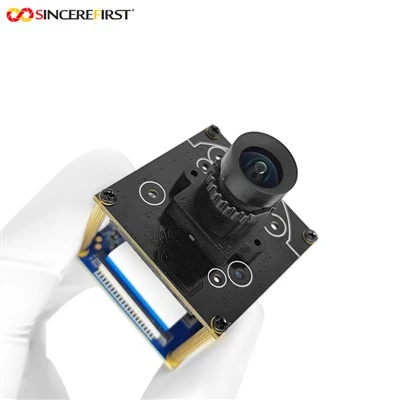
Hey there! As a supplier of Dual USB Camera Modules, I often get asked this burning question: Does the Dual USB Camera Module support simultaneous recording? Well, let's dive right in and explore this topic.
First off, let's understand what a Dual USB Camera Module is. It's basically a setup that comes with two cameras connected via USB. This setup has a ton of applications, from video conferencing where you can show different angles to industrial uses like machine vision for quality control.
Now, the big question - simultaneous recording. In theory, a well - designed Dual USB Camera Module should support simultaneous recording. Most modern operating systems are pretty good at handling multiple USB devices. They have the ability to manage the data flow from different sources. For example, Windows and macOS have built - in drivers and software that can recognize multiple USB cameras and allow them to record at the same time.
However, there are a few factors that can affect whether simultaneous recording actually works smoothly.
1. USB Bandwidth
USB has different versions, each with its own bandwidth limitations. USB 2.0 has a relatively low bandwidth compared to USB 3.0. If you're using a Dual USB Camera Module with high - resolution cameras, USB 2.0 might not be able to handle the data load for simultaneous recording. You'll likely experience dropped frames or even the cameras not working properly.
On the other hand, USB 3.0 offers much higher bandwidth. It can transfer data at speeds up to 5 Gbps, which is more than enough for most high - resolution cameras to record simultaneously. For instance, our USB3.0 Mini SONY Imx385 2mp Drone Camera Module is designed to work well with USB 3.0, and it can support simultaneous recording without a hitch in most cases.
2. Camera Resolution and Frame Rate
The resolution and frame rate of the cameras also play a crucial role. Higher resolution and frame rates mean more data needs to be transferred. If you have two cameras recording at 4K resolution and 60 FPS, that's a huge amount of data. Your system needs to be able to handle this data flow.


Our 4K 60FPS Sony IMX334 Camera Sensor USB3 Camera Module is a high - end camera that can capture amazing footage. But when using two of these cameras for simultaneous recording, you need to make sure your computer has a powerful enough USB controller and sufficient processing power.
3. Software and Drivers
The software and drivers you use are equally important. Outdated or incompatible drivers can cause issues with simultaneous recording. You need to make sure you have the latest drivers installed for your cameras. Most camera manufacturers provide updated drivers on their websites.
Some software applications are specifically designed to handle multiple cameras. They can manage the recording process, adjust settings, and ensure that both cameras are recording at the same time. For example, some video editing software can be used to record from multiple cameras simultaneously and then edit the footage later.
4. Computer Hardware
Your computer's hardware also matters. A computer with a slow CPU or limited RAM might struggle to handle the data from two cameras recording at the same time. You need a computer with a decent processor, enough RAM, and a good USB controller.
If you're using a laptop, make sure it has a USB 3.0 port. Some older laptops might only have USB 2.0 ports, which can limit the performance of your Dual USB Camera Module.
Let's talk about some real - world applications where simultaneous recording with a Dual USB Camera Module can be super useful.
In the field of education, teachers can use two cameras to record different aspects of a classroom. One camera can focus on the teacher, and the other can focus on the students' activities. This way, the recorded video can be used for later review or shared with students who missed the class.
In the industrial sector, Low Cost 4K 3D Industrial Machine Vision Camera Module can be used for quality control. Two cameras can be placed at different angles to capture a 360 - degree view of a product. This helps in detecting any defects or irregularities more accurately.
In conclusion, the Dual USB Camera Module can support simultaneous recording, but it depends on several factors like USB bandwidth, camera resolution, software, and computer hardware. If you're considering using a Dual USB Camera Module for simultaneous recording, make sure to choose the right cameras and ensure that your system meets the requirements.
If you're interested in our Dual USB Camera Modules or have any questions about simultaneous recording, feel free to reach out. We're here to help you make the best choice for your needs. Whether you're a small business looking for a cost - effective solution or a large corporation in need of high - end cameras, we've got you covered.
References:
- General knowledge about USB technology and camera modules
- Experience from dealing with customers using Dual USB Camera Modules