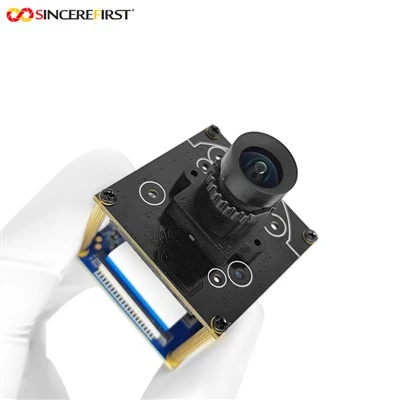
Hey there! As a supplier of 2MP camera modules, I often get asked about how to adjust the white balance of these little gems. White balance is super important as it can make or break the quality of your images. Let's dive into the details of getting that perfect white balance for your 2MP camera module.
Understanding White Balance
First off, what exactly is white balance? Well, different light sources have different color temperatures. For example, sunlight during the day has a different color temperature compared to the light from a tungsten light bulb at night. White balance is all about making sure that white objects in your photos actually look white, regardless of the lighting conditions.
When the white balance is off, your photos can end up looking too blue (cool) or too yellow (warm). This can make the whole image look unappealing. So, getting the white balance right is crucial for high - quality images.
Why is White Balance Important for 2MP Camera Modules?
Even though 2MP camera modules may not have the highest resolution compared to some high - end cameras, they are still widely used in many applications like security cameras, webcams, and industrial inspection cameras. In these applications, accurate color representation is essential.
For instance, in a security camera, you need to be able to clearly see the colors of a suspect's clothing or the license plate of a vehicle. If the white balance is off, the colors may be distorted, making it difficult to identify important details.
Manual White Balance Adjustment
One way to adjust the white balance of a 2MP camera module is through manual adjustment. Most camera modules come with settings that allow you to manually set the white balance.


- Color Temperature Settings: Many 2MP camera modules have a color temperature setting. You can adjust this setting based on the light source. For example, if you are shooting in daylight, you can set the color temperature to around 5500K - 6500K. If you are in a room with tungsten lights, you might want to set it to around 2700K - 3200K.
- Custom White Balance: Some camera modules also allow you to set a custom white balance. To do this, you need to place a white object in the frame, like a white piece of paper. Then, you can use the camera's custom white balance function to sample the white color. The camera will then adjust the white balance based on this sample.
Automatic White Balance (AWB)
Most 2MP camera modules also come with an Automatic White Balance (AWB) feature. This feature automatically adjusts the white balance based on the lighting conditions.
- How AWB Works: The camera analyzes the colors in the frame and tries to determine the color temperature of the light source. It then adjusts the white balance accordingly. AWB is convenient as it saves you the time of manually adjusting the white balance for each shot.
- Limitations of AWB: However, AWB is not perfect. In some situations, such as when there are multiple light sources with different color temperatures in the frame, AWB may not be able to accurately adjust the white balance. In these cases, manual adjustment may be necessary.
Using Filters
Another way to adjust the white balance is by using filters. There are different types of filters available for camera modules.
- Color Correction Filters: These filters can be used to correct the color temperature of the light. For example, if the light is too yellow, you can use a blue filter to cool down the colors.
- Neutral Density Filters: While not directly related to white balance, neutral density filters can be useful in adjusting the exposure of the image. By reducing the amount of light entering the camera, you can sometimes improve the overall quality of the image and make it easier to get the white balance right.
Calibration Tools
There are also calibration tools available that can help you adjust the white balance of your 2MP camera module. These tools usually come with a color chart that you can use to calibrate the camera.
- Color Chart Calibration: Place the color chart in the frame and use the camera's calibration function to adjust the white balance based on the colors on the chart. This can be a very accurate way to get the white balance right.
- Software Calibration: Some camera modules come with software that allows you to calibrate the white balance on a computer. This can be useful if you need to make more precise adjustments.
Our 2MP Camera Modules and White Balance
At our company, we take white balance seriously. Our 2MP camera modules are designed to provide accurate color representation right out of the box. However, we also understand that different users may have different requirements, so we offer options for manual and automatic white balance adjustment.
If you are looking for a high - quality 2MP camera module, we have a great selection. Check out our IR Cut Swicth Light Board USB Camera Sensor Module. It has excellent white balance capabilities and is suitable for a variety of applications.
We also have the Low Cost 4MP CMOS Infrared Image Sensor USB Inspection Camera Module For Android. Although it's a 4MP module, it shares some of the same white balance adjustment principles as our 2MP modules.
And if you need a high - end option, our 1080P FHD Sony Imx291 Starlight - Level CMOS Face Recognition USB Camera Module offers top - notch white balance performance.
Contact Us for Purchase
If you're interested in our 2MP camera modules or have any questions about white balance adjustment, don't hesitate to reach out. We're here to help you get the best possible images from your camera module. Whether you're a small business looking for a reliable webcam or a large company in need of industrial inspection cameras, we have the right solution for you.
References
- "Digital Photography: Understanding White Balance" - A general guide on white balance in digital photography.
- "Camera Module Manuals" - The user manuals of our 2MP camera modules provide detailed information on white balance adjustment.