Hey there! I'm a supplier of Fixed Focus Modules, and today I'm gonna walk you through how you can connect a Fixed Focus Module to a device. It might sound a bit technical at first, but trust me, it's not as complicated as it seems.
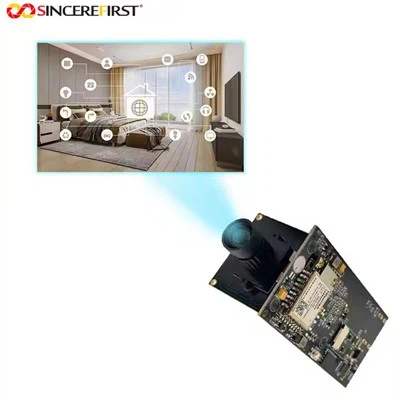
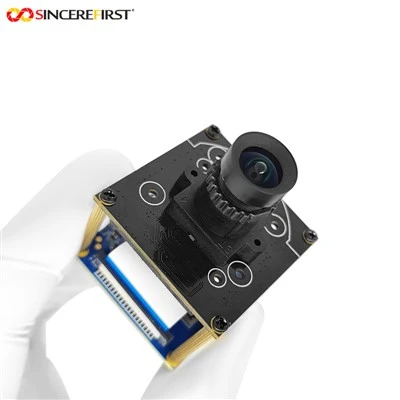
First things first, let's talk about what a Fixed Focus Module is. In simple terms, it's a camera module with a fixed focal length, which means it doesn't have the ability to zoom in or out. But don't let that fool you; these modules are great for a wide range of applications, from security cameras to industrial inspection systems.
Understanding the Basics of Connection
Before you start connecting the module, you need to understand a few basic things. The Fixed Focus Module usually comes with different types of interfaces, such as USB, MIPI, or CSI. The type of interface you'll use depends on the device you're connecting it to.
If you're connecting it to a computer, USB is the most common choice. It's easy to use and widely supported. For example, our Best Sony Camera 8MP IMX678 COMS Image Sensor USB Camera Module is a great option if you're looking for a high - resolution camera module that can be easily connected to your computer via USB.
Connecting via USB
Connecting a Fixed Focus Module via USB is a piece of cake. Here are the steps:
- Check the Compatibility: Make sure your device has a USB port that is compatible with the camera module. Most modern computers have USB 2.0 or USB 3.0 ports, which are usually compatible with our camera modules.
- Power Off the Device: Before you start the connection process, it's always a good idea to power off your device. This helps prevent any electrical damage.
- Connect the Cable: Plug one end of the USB cable into the camera module and the other end into the USB port on your device.
- Power On the Device: Once the cable is connected, power on your device. The operating system should automatically detect the camera module.
- Install Drivers (if necessary): In some cases, you might need to install drivers for the camera module to work properly. You can usually find the drivers on the manufacturer's website. For our 2MP HM2131 Sensor Mini High Speed USB 2.0 Camera Module, the drivers are available for download on our official website.
Connecting via MIPI or CSI
If you're connecting the Fixed Focus Module to a mobile device or a single - board computer like the Raspberry Pi, you might need to use MIPI or CSI interfaces. These interfaces are a bit more complex than USB, but they offer better performance in terms of data transfer speed.
- Understand the Pinout: MIPI and CSI interfaces have specific pinouts. You need to carefully read the datasheet of your camera module and the device you're connecting it to understand which pins to connect.
- Prepare the Device: Make sure your device has the necessary hardware interfaces and is configured to support MIPI or CSI camera modules.
- Make the Connections: Use the appropriate cables or connectors to connect the camera module to the device. Make sure the connections are secure.
- Configure the Software: After the hardware connection is made, you need to configure the software on your device to recognize the camera module. This might involve editing some configuration files or running specific commands.
Troubleshooting
Even if you follow all the steps correctly, you might still encounter some issues. Here are some common problems and how to fix them:


- Device Not Detected: If your device doesn't detect the camera module, first check the cable connections. Make sure the cable is properly plugged in and there are no loose connections. If the problem persists, try using a different USB cable or a different USB port.
- Poor Image Quality: If the image quality is poor, it could be due to a few reasons. Check the focus of the camera module. Since it's a fixed - focus module, the focus is set during manufacturing, but it might get slightly misaligned. Also, make sure there are no obstructions in front of the lens.
- Driver Issues: If you're having problems with the drivers, try uninstalling and reinstalling them. Make sure you're using the latest version of the drivers.
Why Choose Our Fixed Focus Modules
We offer a wide range of Fixed Focus Modules with different resolutions, interfaces, and features. Our Imx291 Usb module is a popular choice for many customers because of its high - quality image sensor and reliable performance.
Our modules are designed and manufactured with the highest standards of quality. We use the latest technology and materials to ensure that our products are durable and perform well in different environments.
Contact Us for Purchase
If you're interested in our Fixed Focus Modules and want to learn more about how to connect them to your devices or make a purchase, feel free to reach out to us. We have a team of experts who can provide you with detailed technical support and help you choose the right module for your needs.
References
- Camera Module Datasheets
- Device User Manuals