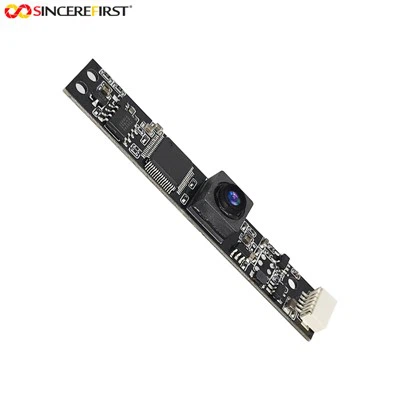
As a trusted supplier of the OV9281 Camera Module, I understand the importance of achieving optimal image quality. One of the key factors that can significantly impact the visual output of the camera is contrast. In this blog post, I'll delve into the process of adjusting the contrast of the OV9281 Camera Module, sharing insights and practical tips to help you get the best results.
Understanding Contrast in the OV9281 Camera Module
Before we jump into the adjustment process, it's essential to understand what contrast means in the context of the OV9281 Camera Module. Contrast refers to the difference between the lightest and darkest areas in an image. A high - contrast image has distinct differences between bright and dark regions, making the details more visible and the image more vibrant. On the other hand, a low - contrast image may appear dull and lack definition.
The OV9281 Camera Module is equipped with advanced imaging capabilities, but achieving the right contrast requires some fine - tuning. This is crucial for various applications, such as industrial inspection, machine vision, and surveillance, where clear and well - defined images are necessary.
Step - by - Step Guide to Adjusting Contrast
1. Access the Camera Settings
To start adjusting the contrast of the OV9281 Camera Module, you first need to access its settings. This can typically be done through the camera's software interface. If you're using a development board or a system that is connected to the camera, you may have a dedicated application or a set of APIs to control the camera settings.
Once you've opened the settings, look for the contrast adjustment option. It may be labeled as "Contrast", "Contrast Ratio", or something similar.
2. Initial Assessment
Before making any adjustments, it's a good idea to take a test image. This will give you a baseline to compare the changes you make. Make sure the lighting conditions are stable and representative of the environment where the camera will be used.
Examine the test image carefully. Look for areas where the contrast seems off. For example, if the image appears too dark overall, the contrast may be too low. If the bright areas are overexposed and the dark areas are completely black, the contrast may be too high.
3. Manual Contrast Adjustment
Most OV9281 Camera Modules allow for manual contrast adjustment. You can increase or decrease the contrast value using the software interface. Start by making small adjustments, perhaps in increments of 1 or 2 units, and then take another test image.


If you increase the contrast, you'll notice that the difference between the bright and dark areas becomes more pronounced. The colors will appear more vivid, and the details in both the light and dark regions will be more visible. However, be careful not to overdo it, as excessive contrast can lead to loss of details in the highlights and shadows.
Conversely, if you decrease the contrast, the image will become more muted, and the difference between the bright and dark areas will be less significant. This can be useful in situations where the lighting is very harsh, and you want to reduce the harshness of the contrast.
4. Automatic Contrast Adjustment
In addition to manual adjustment, some OV9281 Camera Modules also offer an automatic contrast adjustment feature. This feature uses algorithms to analyze the image and adjust the contrast automatically.
To enable automatic contrast adjustment, look for the "Auto Contrast" or similar option in the camera settings. Once enabled, the camera will continuously monitor the image and make real - time adjustments to maintain an optimal contrast level. However, it's important to note that automatic adjustment may not always be suitable for all applications, as it may not take into account specific requirements or preferences.
Factors Affecting Contrast Adjustment
1. Lighting Conditions
The lighting conditions in the environment where the camera is used have a significant impact on the contrast. In bright lighting, the contrast may appear higher, while in low - light conditions, the contrast may be lower. When adjusting the contrast, it's important to consider the lighting situation. For example, if you're using the camera in a well - lit room, you may need to reduce the contrast to avoid overexposure.
2. Subject Matter
The type of subject you're capturing also affects the contrast adjustment. For example, if you're photographing a black and white object, a higher contrast may be more appropriate to enhance the distinction between the two colors. On the other hand, if you're capturing a colorful scene, a lower contrast may be better to preserve the natural colors.
Related Camera Modules
If you're interested in exploring other camera modules, we also offer a range of high - quality products. For instance, the 0.3MP OV7725 VGA Sensor USB Camera Module is a great option for applications that require a compact and cost - effective camera. It offers good image quality and is easy to integrate into various systems.
Another option is the High Quality 5MP CMOS Line Senor Cam USB Vision Systems For Industry. This camera module is designed for industrial applications and provides high - resolution images with excellent contrast and color accuracy.
If you need a camera module for applications that require high - speed imaging and precise timing, the Full HD 1080P Monochrome CMOS Global Shutter USB 2.0 Camera Module is an ideal choice. It offers fast frame rates and global shutter technology, ensuring sharp and clear images even in dynamic scenes.
Conclusion
Adjusting the contrast of the OV9281 Camera Module is a crucial step in achieving high - quality images. By following the steps outlined in this blog post and considering the factors that affect contrast, you can optimize the camera's performance for your specific application.
If you're interested in purchasing the OV9281 Camera Module or any of our other products, we encourage you to reach out for a procurement discussion. Our team of experts is ready to assist you in finding the right camera solution for your needs.
References
- OV9281 Camera Module Datasheet
- Camera Imaging Handbook
- Machine Vision Application Guide