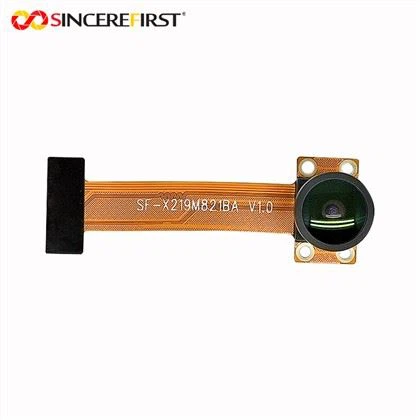
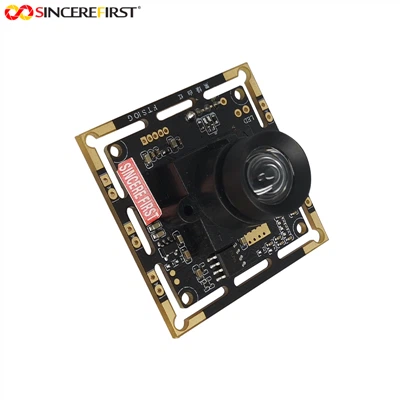
As a supplier of CMOS camera modules, I understand the critical role white balance plays in achieving high - quality images. White balance is the process of adjusting the colors in an image so that the white objects appear truly white and the colors of other objects are accurately represented, regardless of the lighting conditions. In this blog, I will share some in - depth knowledge on how to adjust the white balance of a CMOS camera module.
Understanding White Balance Basics
Before delving into the adjustment methods, it's essential to understand the concept of color temperature. Color temperature is measured in Kelvin (K). Lower color temperatures (around 2000 - 3000K) produce warm, yellow - orange light, like the light from an incandescent bulb. Higher color temperatures (around 5000 - 7000K) result in cool, bluish light, similar to daylight on an overcast day.
The human eye can automatically adjust to different lighting conditions and perceive white as white. However, a CMOS camera module needs to be calibrated to mimic this ability. If the white balance is not set correctly, the images may have a color cast, making them look unnatural.
Automatic White Balance (AWB)
Most modern CMOS camera modules are equipped with an Automatic White Balance (AWB) feature. This is a convenient and commonly used method for adjusting white balance. The AWB algorithm in the camera module analyzes the color distribution in the scene and determines the appropriate white balance settings.
The AWB system works by sampling the colors in the image. It looks for areas that should be white or gray and uses these as a reference to adjust the overall color balance. For example, if the camera detects a predominance of warm colors in the scene, it will reduce the red and green values and increase the blue value to counteract the warm cast.
However, the AWB feature is not always perfect. In complex lighting environments, such as a scene with a mix of natural and artificial light, the AWB may struggle to provide accurate results. In such cases, manual white balance adjustment may be required.
Manual White Balance Adjustment
Manual white balance adjustment offers more control over the final image color. Here are the steps to manually adjust the white balance of a CMOS camera module:
1. Select a White or Gray Reference
To set the manual white balance, you need a white or gray object in the scene. This could be a white piece of paper, a gray card, or any other object that is known to be pure white or gray. Place this reference object in the same lighting conditions as the subject you want to photograph.
2. Measure the Color Temperature
Some advanced CMOS camera modules allow you to measure the color temperature of the light. You can use a color temperature meter to get an accurate reading. Once you have the color temperature value, you can set the white balance accordingly.
For example, if the color temperature is 3000K (warm light), you may need to increase the blue value in the white balance settings to make the white objects appear white.
3. Adjust the White Balance Settings
In the camera module's settings menu, there is usually a section for white balance adjustment. You can select different presets such as daylight (around 5500K), cloudy (around 6500K), tungsten (around 3200K), and fluorescent (around 4000 - 6500K).
If the presets do not match the actual lighting conditions, you can use the custom white balance option. In this case, you point the camera at the white or gray reference object and take a sample. The camera module will then use this sample to calculate the appropriate white balance settings.
Software - Based White Balance Adjustment
In addition to the hardware - based white balance adjustment in the camera module, software can also be used to fine - tune the white balance. Many image processing software applications offer white balance adjustment tools.
After capturing an image, you can import it into the software and use the white balance sliders to adjust the color temperature, tint, and other parameters. This method allows for post - processing correction of the white balance, which can be useful if the initial white balance settings were not accurate.
Impact of White Balance on Different Applications
The correct white balance adjustment is crucial for various applications of CMOS camera modules.
1. Photography
In photography, accurate white balance is essential for capturing natural - looking images. Whether it's portrait photography, landscape photography, or product photography, the right white balance can enhance the colors and details of the subject. For example, in portrait photography, a proper white balance can make the skin tones look more natural.
2. Video Surveillance
In video surveillance applications, correct white balance ensures that the recorded footage accurately represents the colors of the monitored area. This is important for identifying objects and people. If the white balance is off, it may be difficult to distinguish between different colors, which can affect the effectiveness of the surveillance system.
3. Machine Vision
In machine vision systems, white balance adjustment is necessary for accurate image analysis. Machines rely on the correct color information in the images to perform tasks such as object recognition, inspection, and measurement. Incorrect white balance can lead to errors in these tasks.
Our CMOS Camera Modules and White Balance
At our company, we offer a wide range of high - quality CMOS camera modules, including the Mini 20mp Sony IMX 376 CMOS Sensor Camera Sensor Module, 20mp Camera Module, and Omnivision OV13850 CMOS Digital Image Sensor Camera Module. These modules are designed with advanced white balance algorithms to ensure accurate color reproduction in various lighting conditions.
Our R & D team is constantly working on improving the white balance performance of our camera modules. We conduct extensive testing in different lighting environments to optimize the AWB and manual white balance features.
Conclusion
Adjusting the white balance of a CMOS camera module is a crucial step in achieving high - quality images. Whether you use the automatic white balance feature or manually adjust the settings, understanding the principles of white balance is essential. Our company is committed to providing camera modules with excellent white balance performance to meet the needs of different customers.
If you are interested in our CMOS camera modules or have any questions about white balance adjustment, please feel free to contact us for procurement and further discussions. We look forward to working with you to achieve your imaging goals.

References
- "Digital Photography: Understanding White Balance" by Michael Freeman.
- "Image Processing Handbook" by John C. Russ.
- Technical documentation of various CMOS image sensors.