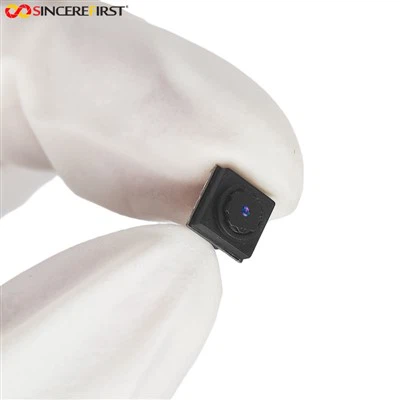
Hey there! As a supplier of 8mp USB Camera Modules, I've seen my fair share of issues when these little guys don't work as expected. It can be super frustrating, but don't worry, I'm here to walk you through some troubleshooting steps.
1. Check the Physical Connections
First things first, let's make sure everything's plugged in right. I know it sounds basic, but you'd be surprised how often a loose connection is the culprit. Take a look at the USB cable connecting the camera module to your device. Make sure it's securely plugged into both the camera and the USB port on your computer or whatever device you're using. If the cable looks damaged, like it's frayed or has exposed wires, it's probably time to replace it.
Sometimes, the problem might be with the USB port itself. Try plugging the camera into a different USB port on your device. If it works in a different port, then the original port might be faulty. You can also try using a different USB cable to see if that makes a difference.
2. Look at the Power Supply
An 8mp USB camera module usually gets its power from the USB connection. But if your device has a low-power USB port or there are other power-hungry devices connected, it might not be getting enough juice. Some cameras come with an external power adapter. If yours does, make sure it's properly connected and the power switch is on.


If you're using a laptop, make sure it's plugged in or has enough battery power. Sometimes, laptops reduce power to USB ports to save battery, which can cause the camera to malfunction.
3. Check for Driver Issues
Drivers are like the translators between your camera and your device. If they're not installed correctly or are out of date, your camera might not work.
On Windows, you can check the Device Manager. Just right-click on the Start button and select Device Manager. Look for your camera under "Imaging devices" or "Cameras." If there's a yellow exclamation mark next to it, that means there's a problem. You can try updating the driver by right-clicking on the camera and selecting "Update driver."
On Mac, you can use the System Preferences. Go to "System Preferences" > "Security & Privacy" > "Privacy" > "Camera." Make sure your app has permission to access the camera. If the camera still doesn't work, you might need to reinstall the camera driver. You can usually find the driver on the manufacturer's website.
4. Software and Compatibility
Your camera might not work because of software issues or compatibility problems. First, make sure your operating system is up to date. Sometimes, software updates include bug fixes and improvements that can solve camera problems.
If you're using a specific app to access the camera, make sure it's compatible with your camera and your operating system. Try using a different app to see if the problem persists. For example, if you're using a custom app and it's not working, try using the built-in camera app on your device.
5. Camera Settings
Sometimes, the problem is just a matter of incorrect settings. Open the camera app and check the settings. Make sure the resolution is set to the correct value. An 8mp camera should be able to support a high-resolution setting. Also, check the focus, exposure, and white balance settings. Sometimes, these can be set incorrectly, causing the camera to produce poor-quality images or not work at all.
6. Hardware Problems
If you've gone through all the above steps and the camera still doesn't work, there might be a hardware problem. This could be a problem with the camera module itself, like a damaged sensor or a faulty circuit board.
If you suspect a hardware problem, it's best to contact the manufacturer or supplier. As an 8mp USB Camera Module supplier, we offer technical support and can help you diagnose and fix hardware issues. We can also provide replacement parts if necessary.
Other Camera Modules We Offer
If you're still having trouble with your 8mp USB camera module or you're looking for a different camera solution, we also offer other high-quality camera modules. Check out our 20MP IMX476 Auto Focus Camera Module for a higher resolution option. It has great autofocus capabilities and can produce stunning images.
We also have the 2.3MP AR0243 Sensor Full-hd Gige Camera Module, which is perfect for applications that require high-definition video. And for those who need a global shutter camera, our USB2.0 AR0130 Color Image Sensor Global Shutter Camera Module is a great choice.
Contact Us for Purchase and Support
If you're interested in purchasing any of our camera modules or need further assistance with troubleshooting, don't hesitate to reach out. We're here to help you find the right camera solution for your needs. Whether you're a hobbyist, a professional photographer, or a business looking for a reliable camera module, we've got you covered.
References
- General knowledge from years of experience as an 8mp USB Camera Module supplier.
- Technical documentation provided by camera module manufacturers.