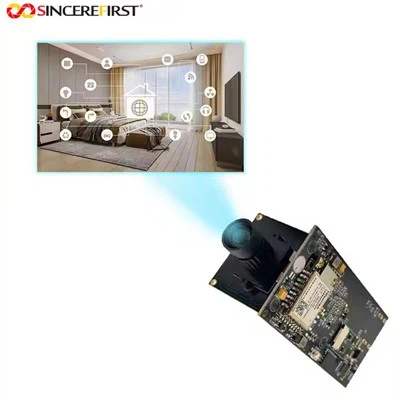
In today's digital age, USB camera modules have become an essential tool for educational institutions. They are used in a variety of applications, from online teaching and remote learning to scientific research and classroom demonstrations. As a USB camera module supplier, I understand the importance of choosing the right camera module for educational needs. In this blog post, I will provide some guidance on how educational institutions can select the most suitable USB camera module.
1. Determine the Application Requirements
The first step in choosing a USB camera module is to clearly define the application requirements. Educational institutions use camera modules for different purposes, and each application has specific needs.


Online Teaching and Remote Learning
For online teaching and remote learning, the camera module needs to provide high - quality video with good resolution and color accuracy. A minimum resolution of 1080p (1920x1080 pixels) is recommended to ensure clear images of teachers and teaching materials. The camera should also have good low - light performance, as classrooms may not always be well - lit. Additionally, features like autofocus can be very useful to keep the subject in sharp focus, especially when there are movements during the teaching process.
Scientific Research
In scientific research, the requirements can be more specialized. For example, in biology or microscopy applications, a camera with high magnification and high - resolution capabilities is needed. The camera should be able to capture detailed images of specimens. Some research may also require cameras with specific spectral sensitivities, such as near - infrared or ultraviolet.
Classroom Demonstrations
For classroom demonstrations, a camera that is easy to set up and operate is crucial. It should have a wide - angle lens to capture the entire demonstration area. The ability to quickly switch between different focus distances and adjust the zoom can enhance the effectiveness of the demonstration.
2. Consider the Camera Sensor
The camera sensor is the heart of a USB camera module, and it significantly affects the image quality.
Resolution
The resolution of the sensor determines the level of detail in the captured images. Higher resolution sensors can capture more information, resulting in clearer and more detailed pictures. For general educational applications, a sensor with at least 2MP (2 million pixels) is a good starting point. However, for applications that require high - quality images, such as scientific research or high - end online teaching, sensors with 4MP, 8MP, or even higher resolutions may be necessary. For instance, the Camera Sensor Ov5648 offers a relatively high - resolution option that can meet the needs of many educational scenarios.
Color Accuracy
Color accuracy is important, especially when the camera is used to capture images of objects with specific colors, such as in art classes or scientific experiments. A camera sensor with good color accuracy can reproduce colors more faithfully, ensuring that the images are a true representation of the real - world objects.
Low - Light Performance
In educational settings, the lighting conditions may vary. A camera sensor with good low - light performance can capture clear images even in dimly lit environments. Sensors with larger pixel sizes generally perform better in low - light conditions as they can collect more light.
3. Evaluate the Lens Quality
The lens of a USB camera module also plays a vital role in image quality.
Focal Length
The focal length of the lens determines the field of view and the magnification of the camera. For wide - angle applications, such as capturing a large classroom or a demonstration area, a lens with a short focal length is required. On the other hand, for applications that require close - up or magnified views, such as in microscopy, a lens with a long focal length or a macro lens is needed. The 48MP Sony IMX586 Telephoto Lens is an example of a high - quality lens that can provide excellent magnification and image quality.
Aperture
The aperture of the lens affects the amount of light that can enter the camera and the depth of field. A larger aperture (smaller f - number) allows more light to enter the camera, which is beneficial in low - light conditions. It also results in a shallower depth of field, which can be used creatively to emphasize the subject in the image.
Lens Coating
Lens coating can reduce reflections and glare, improving the overall image quality. A well - coated lens can produce clearer, sharper images with less distortion and better contrast.
4. Check the Connectivity and Compatibility
USB camera modules are connected to computers or other devices for data transfer and control.
USB Interface
Most USB camera modules use the USB 2.0 or USB 3.0 interface. USB 3.0 offers faster data transfer speeds, which is beneficial for high - resolution and high - frame - rate video streaming. However, it requires the host device to have a USB 3.0 port. If the educational institution's devices mainly have USB 2.0 ports, a USB 2.0 - compatible camera module may be a more practical choice.
Compatibility
The camera module should be compatible with the operating systems used in the educational institution, such as Windows, macOS, or Linux. It should also be compatible with the software applications that will be used to capture and process the images, such as video conferencing software, image - editing software, or scientific data - analysis software.
5. Look for Additional Features
Some USB camera modules come with additional features that can enhance their functionality.
Autofocus
Autofocus is a useful feature, especially in applications where the subject may move or change distance from the camera. It ensures that the images are always in sharp focus.
Image Stabilization
Image stabilization can reduce the blurriness caused by camera shake, resulting in clearer images. This is particularly important when the camera is handheld or mounted on a moving object.
Wi - Fi Connectivity
For more flexible use, some camera modules offer Wi - Fi connectivity. This allows the camera to be connected to a network wirelessly, enabling remote access and control. The Wifi Board can provide such a solution, making it easier to integrate the camera into the educational institution's network infrastructure.
6. Consider the Cost and Support
Cost is always an important factor for educational institutions. It is necessary to balance the performance and features of the camera module with the budget. However, it is also important not to compromise too much on quality, as a low - quality camera module may not meet the educational needs in the long run.
In addition to the initial cost of the camera module, consider the cost of maintenance and support. A reliable supplier should offer good technical support, including troubleshooting assistance and software updates.
In conclusion, choosing the right USB camera module for educational institutions requires careful consideration of the application requirements, camera sensor, lens quality, connectivity, additional features, cost, and support. As a USB camera module supplier, we are committed to providing high - quality products and professional advice to help educational institutions make the best choice. If you are an educational institution looking for a suitable USB camera module, please feel free to contact us for more information and to discuss your specific needs. We look forward to the opportunity to work with you and contribute to the success of your educational programs.
References
- "Digital Imaging Fundamentals" by Michael C. Petrovich
- "Camera Technology Handbook" by John P. Hornak