As a supplier of OV7725 Camera Modules, I often receive inquiries from customers on how to connect multiple OV7725 Camera Modules together. This blog post aims to provide a comprehensive guide on this topic, exploring the technical aspects, challenges, and practical solutions.


Understanding the OV7725 Camera Module
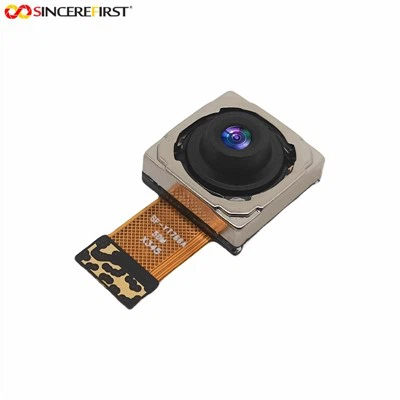
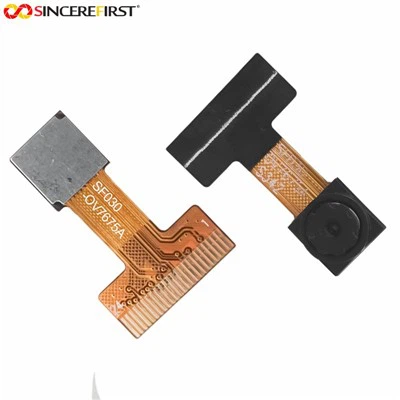
Before delving into the connection process, it's essential to understand the key features of the OV7725 Camera Module. The 0.3MP OV7725 VGA Sensor USB Camera Module offers a compact and cost - effective solution for various imaging applications. It has a VGA resolution of 640x480 pixels, which is suitable for applications such as surveillance, robotics, and embedded systems.
The OV7725 module communicates with the host device through different interfaces. The most common ones are the Serial Peripheral Interface (SPI) and the Parallel Interface. The SPI interface is a simple and widely - used serial communication protocol, while the parallel interface allows for faster data transfer but requires more pins on the host device.
Connection Methods
Using a Microcontroller
One of the most popular ways to connect multiple OV7725 Camera Modules is by using a microcontroller. A microcontroller acts as a central control unit that can manage the communication between the camera modules and the host device.
First, you need to choose a suitable microcontroller. Microcontrollers like the Arduino Mega or the Raspberry Pi are great choices. The Arduino Mega has a large number of input/output pins, which can handle multiple SPI or parallel interfaces. The Raspberry Pi, on the other hand, has a powerful processing capability and can easily interface with the camera modules through its GPIO (General - Purpose Input/Output) pins.
When using the SPI interface, each OV7725 module needs to have a unique Chip Select (CS) pin. The microcontroller can then select each camera module one by one to read the image data. Here is a simple code example in Arduino for communicating with an OV7725 module via SPI:
#include <SPI.h>

const int csPin = 10;

void setup() {
  pinMode(csPin, OUTPUT);
  digitalWrite(csPin, HIGH);
  SPI.begin();
  SPI.setClockDivider(SPI_CLOCK_DIV8);
}

void loop() {
  digitalWrite(csPin, LOW);
  // Send commands to the OV7725 module
  SPI.transfer(0x01);
  digitalWrite(csPin, HIGH);
  delay(1000);
}
To connect multiple modules, you just need to assign different CS pins to each module and modify the code accordingly.
Using a FPGA
For more complex applications that require high - speed data processing and parallel operation, a Field - Programmable Gate Array (FPGA) can be used. An FPGA allows you to customize the hardware logic to meet the specific requirements of connecting multiple OV7725 modules.
The advantage of using an FPGA is that it can handle multiple parallel interfaces simultaneously, enabling real - time image acquisition from multiple cameras. However, programming an FPGA requires a good understanding of hardware description languages such as Verilog or VHDL.
The general process of using an FPGA to connect multiple OV7725 modules involves the following steps:
- Design the hardware architecture in a hardware description language. This includes defining the interfaces for each camera module, the data processing logic, and the communication with the host device.
- Synthesize the design using an FPGA synthesis tool. This tool converts the hardware description into a netlist that can be implemented on the FPGA.
- Program the FPGA with the synthesized design.
Challenges and Solutions
Power Management
Connecting multiple OV7725 Camera Modules can pose power management challenges. Each camera module consumes a certain amount of power, and when multiple modules are connected, the total power consumption can be significant.
To solve this problem, you need to ensure that your power supply can provide enough current. You can also use power - saving techniques such as powering off the camera modules when they are not in use. Additionally, using a power management integrated circuit (PMIC) can help regulate the power supply to each module and reduce power consumption.
Data Handling
Another challenge is handling the large amount of data generated by multiple camera modules. The data rate can be very high, especially when using high - resolution settings or multiple modules simultaneously.
To manage the data, you can use techniques such as data compression. There are various image compression algorithms available, such as JPEG compression, which can significantly reduce the amount of data without sacrificing too much image quality. You can also use a high - speed data storage device or a network interface to transfer the data to a remote server for further processing.
Synchronization
Synchronizing the operation of multiple camera modules is crucial for applications such as stereo vision or multi - view surveillance. If the cameras are not synchronized, the images captured may not be in the correct temporal or spatial relationship.
To achieve synchronization, you can use a common clock signal for all the camera modules. The microcontroller or FPGA can generate this clock signal and distribute it to each module. Additionally, you can use software algorithms to adjust the timing of the image acquisition based on the received data.
Other Related Camera Modules
In addition to the OV7725 Camera Module, we also offer other high - quality camera modules. The 5MP AR0521 Android USB Web Camera Capture Image Module provides a higher resolution option, which is suitable for applications that require more detailed images, such as industrial inspection and high - end surveillance.
The High Quality 5MP CMOS Line Senor Cam USB Vision Systems For Industry is specifically designed for industrial applications. It has a line sensor, which is ideal for applications such as barcode scanning and conveyor belt monitoring.
Conclusion
Connecting multiple OV7725 Camera Modules together is a complex but achievable task. By understanding the features of the OV7725 module, choosing the right connection method, and addressing the challenges, you can build a multi - camera system that meets your specific requirements.
If you are interested in purchasing our OV7725 Camera Modules or any of our other camera products, and would like to discuss your specific needs, please feel free to contact us. We are committed to providing high - quality products and professional technical support to help you achieve your imaging goals.
References
- OV7725 Datasheet
- Arduino Documentation
- Raspberry Pi Documentation
- FPGA Design Manuals