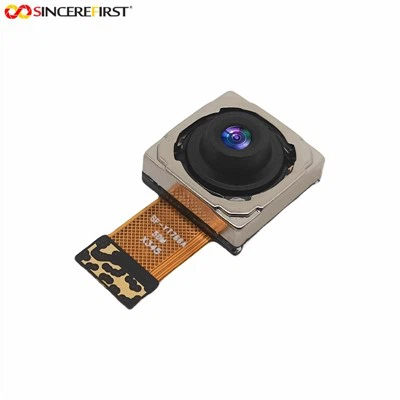
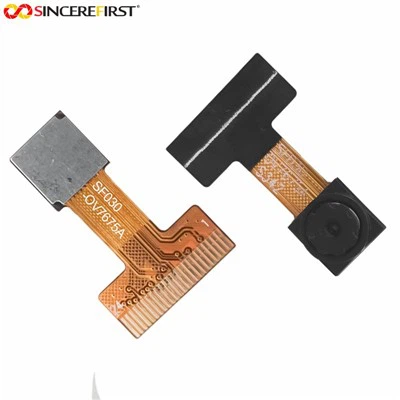
As a supplier of 12MP USB Camera Modules, I've had the privilege of working closely with these devices and understanding the nuances of optimizing their performance. In this blog, I'll share some insights and practical tips on how to get the most out of your 12MP USB Camera Module.
Understanding the Basics of a 12MP USB Camera Module
Before diving into optimization techniques, it's essential to understand what a 12MP USB Camera Module is and how it works. A 12MP camera module typically has a sensor capable of capturing 12 million pixels, which translates to high - resolution images. The USB interface allows for easy connection to a host device, such as a computer, enabling seamless data transfer.
The performance of a 12MP USB Camera Module can be evaluated based on several key factors:
- Image Quality: This includes factors like sharpness, color accuracy, contrast, and dynamic range. A high - quality image is clear, well - defined, and has accurate color representation.
- Frame Rate: The number of frames per second (fps) the camera can capture. A higher frame rate is crucial for applications such as video conferencing or real - time monitoring.
- Low - Light Performance: How well the camera performs in low - light conditions. A good camera module should be able to capture clear images even in dimly lit environments.
- Focus and Zoom: The ability to focus on objects at different distances and the option to zoom in or out.
Optimization Techniques
1. Hardware Considerations
- Power Supply: Ensure that the camera module is receiving a stable and appropriate power supply. Fluctuations in power can lead to image artifacts, reduced frame rates, or even camera malfunctions. Use a high - quality power adapter that meets the camera's power requirements.
- USB Cable: The quality of the USB cable can significantly impact data transfer. A high - speed USB cable with proper shielding can reduce interference and ensure smooth data flow between the camera and the host device. Avoid using long or damaged cables, as they can cause signal degradation.
- Lens Selection: The lens plays a crucial role in image quality. Choose a lens with a high optical quality, low distortion, and good light - gathering capabilities. Different lenses are suitable for different applications, such as wide - angle lenses for landscape photography or macro lenses for close - up shots.
2. Software Configuration
- Driver Installation: Install the latest drivers for your 12MP USB Camera Module. Drivers are software programs that allow the operating system to communicate with the camera. Outdated drivers can cause compatibility issues and limit the camera's performance. You can usually find the latest drivers on the manufacturer's website.
- Camera Settings: Adjust the camera settings according to your specific requirements. Most camera modules come with software that allows you to control settings such as exposure, white balance, focus, and saturation. For example, in bright sunlight, you may need to reduce the exposure to avoid overexposed images. In low - light conditions, increasing the ISO sensitivity can help capture brighter images, but be aware that it may also introduce more noise.
- Firmware Updates: Keep the camera's firmware up to date. Firmware is the software embedded in the camera module that controls its basic functions. Manufacturers often release firmware updates to improve performance, add new features, or fix bugs.
3. Environmental Factors
- Lighting Conditions: Optimize the lighting in the environment where the camera is used. Natural light is often the best option, but if that's not available, use artificial lighting sources. Diffused lighting can help reduce shadows and improve image quality. Avoid direct sunlight or harsh lighting, as they can cause overexposure and glare.
- Temperature and Humidity: Extreme temperatures and high humidity can affect the performance of the camera module. Keep the camera in a stable environment with a moderate temperature and humidity level. Avoid exposing the camera to sudden temperature changes, as they can cause condensation inside the camera, which can damage the sensor.
Comparing with Other Camera Modules
In our product lineup, we also offer other types of camera modules, such as the Monochrome Sensor Camera. Monochrome cameras are ideal for applications where color information is not necessary, such as machine vision or surveillance in low - light conditions. They often have better sensitivity and can provide high - contrast images.
The USB2.0 AR0130 Color Image Sensor Global Shutter Camera Module is another great option. It features a global shutter, which is beneficial for applications that require capturing fast - moving objects without distortion. The color image sensor provides accurate color representation, making it suitable for a wide range of applications, including video conferencing and digital photography.


Our 2MP PS5268 Sensor HD Dual Lens Camera Module offers a unique dual - lens design, which can provide a wider field of view and enhanced depth perception. This module is suitable for applications such as virtual reality and 3D imaging.
Real - World Applications
The optimized 12MP USB Camera Module has a wide range of real - world applications:
- Video Conferencing: With high - resolution images and smooth frame rates, the camera can provide a more immersive video conferencing experience.
- Surveillance: The high - quality images and low - light performance make it suitable for surveillance applications, allowing for clear monitoring even in challenging environments.
- Digital Photography: The 12MP resolution and adjustable settings enable users to capture professional - quality photos.
- Machine Vision: In industrial applications, the camera can be used for quality control, inspection, and measurement tasks.
Conclusion
Optimizing the performance of a 12MP USB Camera Module requires a combination of hardware, software, and environmental considerations. By following the tips outlined in this blog, you can ensure that your camera module delivers the best possible performance.
If you're interested in our 12MP USB Camera Modules or any of our other camera products, we invite you to contact us for procurement and further discussion. We're committed to providing high - quality products and excellent customer service.
References
- "Digital Camera Handbook" by Michael Freeman
- "Image Processing and Computer Vision" by Eero Simoncelli and Rob Fergus