How to use the Raspberry Pi camera for real - estate photography?
In the dynamic world of real - estate photography, the demand for high - quality and cost - effective solutions is ever - present. The Raspberry Pi camera has emerged as a powerful tool that can revolutionize the way real - estate properties are captured. As a Camera Raspberry PI supplier, I am excited to share with you how you can effectively use the Raspberry Pi camera for real - estate photography.
Understanding the Raspberry Pi Camera Options
Before delving into the photography process, it's crucial to understand the different Raspberry Pi camera models available. We offer a range of cameras that can cater to various real - estate photography needs.
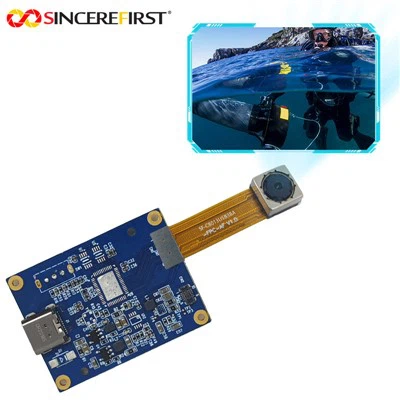
The 12MP IMX708 Raspberry Pi Camera Module is a top - of - the - line option. With its 12 - megapixel resolution, it can capture sharp and detailed images of real - estate properties. The high resolution is particularly useful when photographing large properties or when you need to showcase fine details such as architectural features, interior decor, and landscaping.
Another great option is the Arducam 8mp Autofocus. The autofocus feature is a game - changer in real - estate photography. It allows you to quickly and accurately focus on different elements of a room, whether it's a piece of furniture, a wall painting, or a view through the window. This ensures that your images are always in sharp focus, enhancing the overall visual appeal.
Setting Up Your Raspberry Pi Camera for Real - Estate Photography
Once you have chosen the appropriate camera module, the next step is to set it up correctly. First, make sure your Raspberry Pi is properly configured. You need to enable the camera interface in the Raspberry Pi configuration settings. This can usually be done through the graphical user interface or by using the command line.
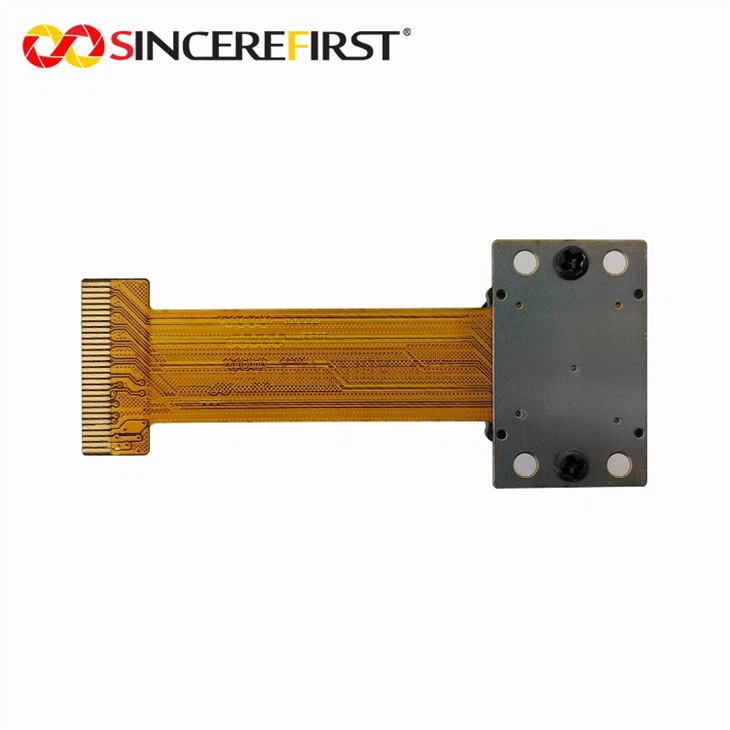
Connect the camera module to the Raspberry Pi. The camera module typically connects to the dedicated camera port on the Raspberry Pi board. Ensure that the connection is secure to avoid any signal issues.
After connecting the camera, you can start testing it. There are several software tools available that allow you to capture images and videos using the Raspberry Pi camera. One popular option is the raspistill command in the terminal. You can use this command to take single images with various settings such as resolution, exposure, and white balance.
For more advanced users, you can also use programming languages like Python to control the camera. Python libraries such as picamera provide a high - level interface for interacting with the Raspberry Pi camera. You can write scripts to automate the photography process, for example, taking a series of images at different intervals or with different settings.
Composition and Lighting in Real - Estate Photography
Composition is key in real - estate photography. When using the Raspberry Pi camera, you need to pay attention to how you frame your shots. Start by identifying the key selling points of the property. This could be a beautiful fireplace, a spacious living room, or a stunning view. Make sure these elements are prominently featured in your images.
Use the rule of thirds as a guide for composition. Divide your frame into a 3x3 grid and place the important elements of your shot along the gridlines or at the intersection points. This creates a more balanced and visually appealing image.
Lighting is another crucial aspect of real - estate photography. Natural light is often the best option as it gives a warm and inviting feel to the images. Try to schedule your photo shoots during the golden hour, which is the hour after sunrise or the hour before sunset. During this time, the light is soft and warm, creating a beautiful glow in the images.
If natural light is not sufficient, you can use artificial lighting. Softbox lights or LED panels can be used to fill in the shadows and create a more even lighting distribution. When using artificial lighting, make sure to position the lights carefully to avoid harsh shadows or reflections.

Capturing Interior and Exterior Shots
When capturing interior shots, start by decluttering the room. Remove any unnecessary items such as personal belongings, dirty dishes, or clutter on the countertops. This makes the room look more spacious and inviting.
For wide - angle shots of large rooms, you can use a wide - angle lens attachment for the Raspberry Pi camera. This allows you to capture more of the room in a single shot. However, be careful not to distort the perspective too much.
When photographing exteriors, focus on the curb appeal of the property. Capture the front facade, the landscaping, and any unique features such as a porch or a garden. You can also take shots from different angles to showcase the property from different perspectives.
Post - Processing Your Real - Estate Images
After capturing your images, post - processing is an important step to enhance their quality. There are several software tools available for post - processing, both free and paid.
Adobe Photoshop is a popular choice for professional real - estate photographers. It allows you to adjust the color, contrast, and sharpness of your images. You can also remove any distractions or blemishes from the images using the clone stamp tool or the healing brush.
For more basic post - processing, you can use free software such as GIMP. GIMP has similar features to Photoshop and is a great option for those on a budget.
Advantages of Using Raspberry Pi Camera in Real - Estate Photography
There are several advantages of using the Raspberry Pi camera for real - estate photography. Firstly, it is cost - effective. Compared to traditional professional cameras, the Raspberry Pi camera is much more affordable, making it a great option for small real - estate agencies or individual photographers on a budget.
Secondly, the Raspberry Pi camera is highly customizable. You can use software to control various settings such as exposure, white balance, and focus. This allows you to achieve the desired look and feel for your real - estate images.
Finally, the Raspberry Pi camera is compact and portable. You can easily carry it around to different properties and set it up quickly for photo shoots.
Contact Us for Your Raspberry Pi Camera Needs
If you are interested in using the Raspberry Pi camera for your real - estate photography projects, we are here to help. As a leading Camera Raspberry PI supplier, we offer a wide range of high - quality camera modules and accessories. Our team of experts can provide you with technical support and advice on how to get the best results from your Raspberry Pi camera.
Whether you are a professional real - estate photographer or just starting out, our products can meet your needs. Contact us to discuss your requirements and start your journey towards high - quality real - estate photography with the Raspberry Pi camera.
References
- Raspberry Pi Foundation Documentation
- Online photography tutorials and blogs
- Camera module product manuals