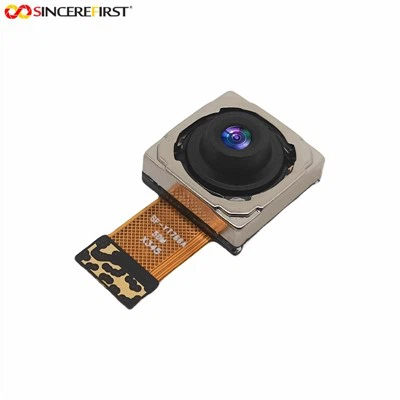
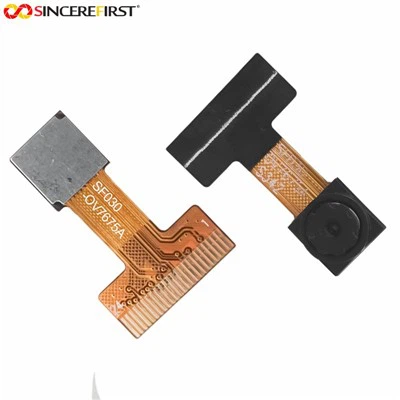
Hey there! As a supplier of the OV7725 Camera Module, I often get asked whether this little piece of tech is compatible with the Windows operating system. So, I thought I'd sit down and write this blog to clear up any confusion.
First off, let's talk a bit about the OV7725 Camera Module. It's a popular choice in the world of embedded systems and DIY projects. This module packs a punch with its decent image quality and relatively low power consumption. It's got a wide range of applications, from robotics to home security setups.
Now, getting to the main question: Is it compatible with Windows? Well, the short answer is it depends. The OV7725 itself doesn't come with native Windows support out of the box. Unlike some consumer - grade webcams that are plug - and - play on Windows, the OV7725 needs a bit more work.
The OV7725 typically communicates through interfaces like the Serial Peripheral Interface (SPI) or the Parallel Interface. Windows, on the other hand, is more accustomed to dealing with USB - based cameras. So, if you want to use the OV7725 with Windows, you'll need an interface board or a conversion solution that can translate the module's signals into a format that Windows can understand.


One option is to use a microcontroller as an intermediary. For example, you could connect the OV7725 to an Arduino or a Raspberry Pi. These microcontrollers can communicate with the OV7725 using the appropriate interfaces and then act as a bridge to send the data to a Windows PC. You can write code on the microcontroller to capture images or video from the OV7725 and then transfer it to the PC via a USB connection.
There are also some third - party drivers and software that might be able to help. However, finding reliable ones can be a bit of a challenge. You'll have to do some research and maybe even dig into the open - source community to find something that works.
Let's take a look at some alternatives that have better native Windows support. The Fixed Focus Omnivision Ov9713 CMOS Image Sensor USB Interface UVC Camera Module is a great option. Since it has a USB interface and supports the UVC (USB Video Class) standard, it can be easily recognized by Windows. You just plug it in, and Windows should detect it as a video device right away.
Another alternative is the Imx291 Usb. It also comes with a USB interface, which simplifies the process of using it with Windows. You won't have to go through the hassle of setting up complex interfaces or writing custom code.
If you're looking for something more advanced, the Free Drive Snoy 8MP IMX415 Wifi Board CMOS Machine Vision System Camera Module is worth considering. It not only has good image quality but can also connect to a Windows PC via Wi - Fi. This gives you more flexibility in terms of placement and usage.
But if you're really set on using the OV7725 with Windows, don't lose hope. There are enthusiasts and developers out there who have managed to make it work. You can join online forums, such as Reddit's r/embedded or Arduino - related groups, to find people who have had success. They can share their experiences, code snippets, and tips on how to get the OV7725 up and running on Windows.
In conclusion, while the OV7725 doesn't have straightforward Windows compatibility, it's not impossible to use it with a Windows operating system. With the right approach, some technical know - how, and a bit of patience, you can integrate it into your Windows - based projects.
If you're interested in purchasing the OV7725 Camera Module or any of our other camera products, we're here to help. Whether you're a hobbyist working on a small project or a business looking for a reliable camera solution, we can provide you with the right advice and support. Reach out to us to start a procurement discussion and let's find the best camera module for your needs.
References
- "Embedded Systems Design with the OV7725" - Various online DIY and embedded system blogs
- "Windows Device Driver Development" - General literature on Windows device integration