


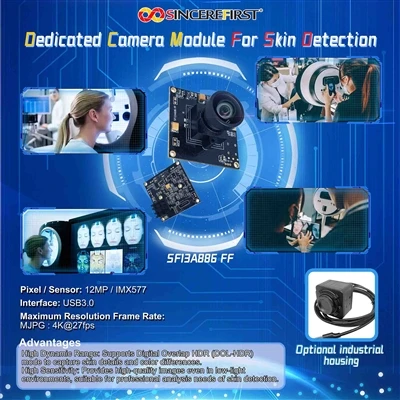
One Kiosk May Ask The Camera To Do Several Jobs
A self-service terminal may use its camera for face capture, video assistance, ID document imaging, QR-code scanning or remote customer support. These tasks can conflict. A wide lens helps capture users of different heights, while a document camera may need a tighter field and close focus. A video-call camera may need microphone integration and natural-looking exposure.
Before selecting a module, decide whether one camera can realistically cover all tasks or whether separate cameras are more robust.
Design the capture zone around the user interface
The screen height, camera position and expected standing distance determine the face angle and size in frame. A camera above a large display may see a strong downward angle. If the kiosk must serve wheelchair users and tall adults, the vertical capture range can be large.
Model the geometry in the enclosure CAD and test with real users. Lens selection should be driven by the required capture zone rather than by the widest FOV available.
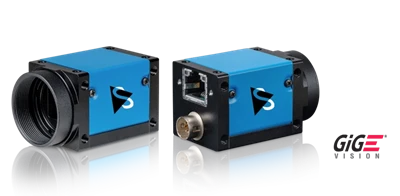
USB often reduces integration friction, but details still matter
Many kiosks use x86 or Linux/Windows compute platforms, making UVC USB camera modules convenient for evaluation. However, the system still needs to check supported resolutions, frame rates, output formats, USB bandwidth, cable length and startup behavior. Multiple USB peripherals can share the same host controller and create bandwidth or power issues.
For long internal routing, validate the exact cable and hub topology rather than assuming a short bench cable represents the final kiosk.

Audio and privacy can be part of the camera subsystem
Remote assistance kiosks may need a microphone near the camera. A combined camera-and-microphone module can simplify assembly, but microphone position, enclosure holes and echo path affect audio quality. Privacy indicators may also be required by product design, which can add LED or mechanical-shutter requirements.
These features should be specified as system functions; they are not automatically provided by every USB module.
Image quality should match the service task
For video assistance, stable exposure and natural face rendering may matter more than very high resolution. For identity capture, enough detail and controlled lighting are more important. For QR scanning, close-focus behavior and glare control can dominate.
A kiosk team should therefore define separate acceptance criteria for each camera task instead of using one generic 'image quality' judgment.

Serviceability matters in public terminals
Kiosks can operate for years in retail or transport environments. A camera buried behind a glued display panel may be difficult to replace. Review connector access, mounting method, cable strain relief and module availability. A standard module footprint can reduce future maintenance risk, while customization may be justified when the enclosure is highly constrained.
When requesting a recommendation, share the screen/camera layout, user distance range, intended camera functions, host OS, cable route, microphone need and expected production volume.
Example: identity capture and remote assistance in one terminal
A government or banking kiosk may need a face image for identity verification and a wide, natural video image for a remote agent. The identity task might prefer a tighter FOV and controlled lighting, while the video-call task benefits from more context. One camera can serve both only if the compromise is acceptable. Otherwise, a second camera or movable framing may be justified.
This is a product-level decision, not a camera-specification decision.
Design for field replacement before the bezel is finalized
Public terminals are expensive to service. A small camera module that can be replaced from behind the display without removing glued glass may save far more over the product lifetime than a slightly cheaper custom assembly. Include connector accessibility and module replacement time in the design review.
FAQ
Can one kiosk camera handle face capture and QR scanning?
Sometimes, if the distance ranges and FOV requirements overlap. If the face is far away and the QR code is presented close to the screen, separate optical setups may be more reliable.
Why can a USB camera fail in the final kiosk after working on a laptop?
Cable length, hubs, shared bandwidth, power distribution, OS drivers and startup sequencing may differ in the final system. Validate the complete host topology.
When should a microphone be integrated with the camera module?
Integration is useful when the kiosk needs video communication and the mechanical design supports a suitable acoustic opening. Audio performance still needs enclosure-level testing.


