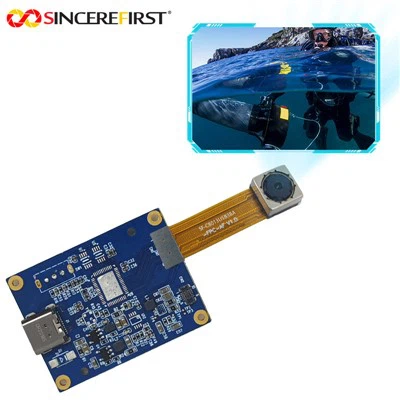
Hey there! As a supplier of Dual USB Camera Modules, I've gotten tons of questions about how to adjust the focus of these nifty devices. It's a common issue, and getting it right can make a huge difference in the quality of your images and videos. So, let's dive into the nitty - gritty of focus adjustment for Dual USB Camera Modules.
Understanding the Basics of Focus in Dual USB Camera Modules
First off, what's focus all about? In simple terms, focus is what makes your subject sharp and clear in the image. When a camera is out of focus, the subject looks blurry, and that's definitely not what we want, especially if you're using these cameras for professional purposes like machine vision, surveillance, or even high - quality video conferencing.
Our Dual USB Camera Modules come with different features and capabilities. For example, we have the 2MP HD Usb3.0 High Frame Rate Global Shutter Camera Module. This camera is great for applications where you need high - speed imaging, like in industrial inspection. The global shutter ensures that the entire frame is exposed at the same time, reducing motion blur. Another option is the Customizable Lens Compact 4k UHD CSI Sony IMX678 USB 3.0 Camera Module. With its 4K UHD resolution and customizable lens, it offers flexibility for various shooting scenarios. And then there's the 1 Inch Sensor Global Shutter Machine Vision Smart Camera Module, which is designed specifically for machine vision tasks, where accurate focus is crucial for detecting and analyzing objects.
Tools You'll Need
Before we start adjusting the focus, let's talk about the tools you might need. You don't need a whole bunch of fancy stuff. A simple screwdriver (usually a small Phillips - head or flat - head, depending on your camera model) can be very useful. Some cameras might also come with a focus adjustment ring that you can turn by hand, so you won't even need a tool in those cases.
Step - by - Step Focus Adjustment
Step 1: Set Up Your Camera
First, mount your Dual USB Camera Module in the position where you'll be using it. Make sure it's securely attached and pointed at the subject you want to focus on. Connect the camera to your computer using the USB cable. You might need to install the necessary drivers if you haven't already. Most of our cameras come with easy - to - follow driver installation guides.
Step 2: Use the Camera Software
Once the camera is connected and the drivers are installed, open the camera software on your computer. This software allows you to view the live feed from the camera. Look for options related to focus in the software. Some cameras have an autofocus feature. If your camera has this, you can try using it first. Just click on the autofocus button in the software, and the camera will try to adjust the focus automatically.
However, autofocus might not always give you the best results, especially in complex lighting conditions or when you need a very specific focus point. In those cases, you'll want to switch to manual focus.
Step 3: Manual Focus Adjustment
If you're using a camera with a focus adjustment ring, start by turning the ring slowly while watching the live feed on your computer. As you turn the ring, you'll see the image on the screen start to change. Keep turning the ring until the subject is as sharp as possible. It might take a few tries to get it just right, so be patient.
If your camera requires a screwdriver for focus adjustment, locate the focus adjustment screw on the camera body. Use the screwdriver to turn the screw gently. Again, watch the live feed on your computer and make small adjustments until the focus is perfect.
Step 4: Fine - Tuning
Once you think you've got the focus right, take a few test shots or record a short video. Check the results on your computer to see if the focus is satisfactory. If not, go back and make some more small adjustments. Sometimes, the difference between a good - looking image and a great - looking image is just a tiny tweak in the focus.
Troubleshooting Focus Issues
Sometimes, even after following all the steps, you might still have focus problems. Here are some common issues and how to fix them:
Blurry Images
If your images are still blurry, check the following:
- Lighting Conditions: Poor lighting can make it difficult for the camera to focus. Try increasing the light in the area or using a different light source.
- Lens Dirt or Dust: Check the lens of your camera for any dirt or dust. Use a clean microfiber cloth to gently wipe the lens.
- Incorrect Focus Distance: Make sure your camera is at the right distance from the subject. Some cameras have a minimum focus distance, so check the camera's specifications.
Focus Fluctuations
If the focus keeps changing on its own, it could be due to vibrations. Make sure your camera is mounted securely and there are no sources of vibration nearby. Also, check if there are any loose parts in the camera that might be causing the focus to shift.
Conclusion
Adjusting the focus of your Dual USB Camera Module might seem a bit tricky at first, but with a little practice and patience, you'll be able to get great - looking images and videos. Whether you're using our 2MP HD Usb3.0 High Frame Rate Global Shutter Camera Module, Customizable Lens Compact 4k UHD CSI Sony IMX678 USB 3.0 Camera Module, or 1 Inch Sensor Global Shutter Machine Vision Smart Camera Module, following these steps will help you achieve the best focus possible.
If you're interested in purchasing our Dual USB Camera Modules or have any questions about focus adjustment or other camera features, feel free to reach out to us. We're always happy to help you find the right camera for your needs and ensure that you get the most out of it.


References
- Camera user manuals provided with each Dual USB Camera Module.
- Industry - standard guides on camera focus adjustment.