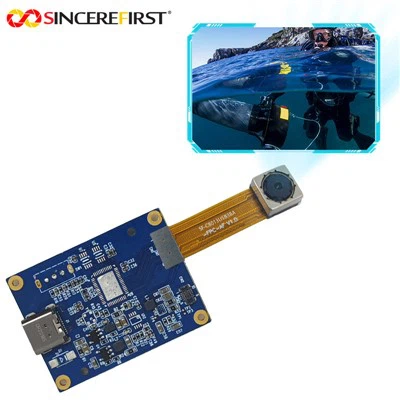
As a supplier of the Imx291 USB camera, I understand the importance of configuring this high - performance device to adapt to different lighting conditions. In this blog, I will share some professional insights and practical tips on how to optimize the Imx291 USB camera for various lighting scenarios.
Understanding the Imx291 USB Camera
The Imx291 USB camera is a remarkable piece of technology that offers high - resolution imaging and excellent sensitivity. It is equipped with advanced features that can be adjusted to capture clear and vivid images regardless of the lighting environment. However, to fully leverage its capabilities, we need to understand how different lighting conditions affect its performance.
Low - Light Conditions
In low - light situations, the key is to maximize the camera's sensitivity without introducing excessive noise.
Gain Adjustment
One of the first steps is to adjust the gain of the camera. Gain is essentially an amplification of the electrical signal produced by the image sensor. By increasing the gain, the camera can capture more light and produce a brighter image. However, too much gain can lead to a significant increase in noise, which degrades the image quality.
For the Imx291 USB camera, start by gradually increasing the gain in small increments. Observe the image on the monitor and look for the balance between brightness and noise. A good rule of thumb is to stop increasing the gain when the noise becomes too noticeable.
Exposure Time
Another important parameter is the exposure time. In low - light conditions, a longer exposure time allows more light to reach the sensor, resulting in a brighter image. You can increase the exposure time of the Imx291 camera through its software settings. Keep in mind that a very long exposure time may cause motion blur if the subject or the camera is moving.
White Balance
White balance is crucial for accurate color reproduction, even in low - light conditions. The Imx291 camera has different white balance presets, such as auto white balance, tungsten, fluorescent, and daylight. In low - light settings, auto white balance may not always produce the best results. You can try using the tungsten preset if the lighting source is incandescent, or the fluorescent preset if the light is from fluorescent bulbs.
Bright - Light Conditions
When dealing with bright - light conditions, the main challenge is to prevent overexposure and maintain image details.
Shutter Speed
The shutter speed controls the amount of time the camera's sensor is exposed to light. In bright - light situations, a faster shutter speed can reduce the amount of light hitting the sensor, preventing overexposure. For the Imx291 USB camera, you can decrease the exposure time (shutter speed) to capture well - exposed images. Experiment with different shutter speeds to find the optimal setting for the specific lighting conditions.
Aperture (if applicable)
Some Imx291 camera models may have adjustable apertures. The aperture controls the size of the opening through which light enters the camera. In bright - light conditions, closing down the aperture (using a higher f - number) can reduce the amount of light reaching the sensor. However, keep in mind that a smaller aperture may also reduce the depth of field.
ND Filters
Neutral density (ND) filters are another effective tool for bright - light photography. These filters reduce the amount of light entering the camera without affecting the color balance. You can attach an ND filter to the front of the Imx291 camera lens to achieve a more balanced exposure.
Mixed - Lighting Conditions
Mixed - lighting conditions, where there are both bright and dark areas in the scene, are perhaps the most challenging to handle.


HDR Mode
The Imx291 USB camera may support High - Dynamic - Range (HDR) mode. HDR combines multiple images taken at different exposure levels to create a single image with a wider range of brightness. This can help capture details in both the bright and dark areas of the scene. Enable the HDR mode in the camera's settings and let it do the work.
Manual Exposure Bracketing
If the camera does not have an HDR mode, you can manually take multiple images at different exposure settings. Then, use image - editing software to combine these images into a single HDR image. This method requires more time and effort but can produce excellent results.
Other Considerations
Focus
Proper focus is essential for a sharp image, regardless of the lighting conditions. The Imx291 USB camera may have autofocus capabilities, but in some cases, manual focus may be more accurate. Take the time to adjust the focus manually to ensure that the subject is sharp.
Image Resolution
The image resolution can also affect the camera's performance in different lighting conditions. In low - light situations, using a lower resolution may reduce noise and improve image quality. On the other hand, in bright - light conditions, a higher resolution can capture more details.
Related Products
If you are interested in other camera modules, we also offer a variety of options. For example, the OV5640 5MP Fixed Focus USB Camera Module is a great choice for applications that require a fixed - focus camera with 5MP resolution. The OV9281 Camera Module is another option that offers unique features. And for those in need of a high - resolution, waterproof camera, the 8mp External Trigger Webcam Android Waterproof Inspection USB2.0 Camera Module is worth considering.
Conclusion
Configuring the Imx291 USB camera for different lighting conditions requires a combination of technical knowledge and practical experimentation. By understanding the camera's parameters such as gain, exposure time, white balance, shutter speed, and aperture, you can optimize its performance and capture high - quality images in any lighting scenario.
If you are interested in purchasing the Imx291 USB camera or any of our other products, please feel free to contact us for more information and to start a procurement negotiation. We are committed to providing you with the best camera solutions and excellent customer service.
References
- Camera Technology Handbook, Third Edition
- Digital Photography for Beginners: A Comprehensive Guide