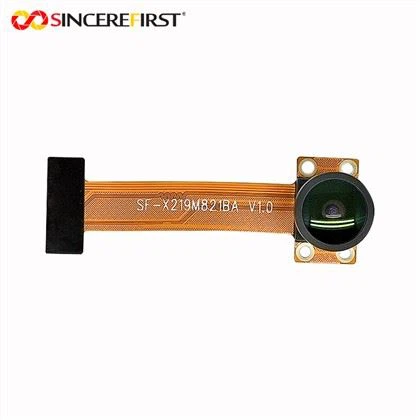
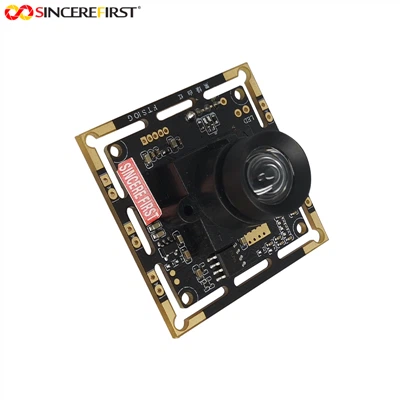
As a supplier of Dual USB Camera Modules, I understand the crucial role that proper white balance adjustment plays in achieving high - quality images and videos. In this blog, I'll share some detailed insights on how to adjust the white balance of the Dual USB Camera Module.
Understanding White Balance
White balance is the process of removing unrealistic color casts, so that objects which appear white in person are rendered white in your photo or video. Different light sources emit light with different color temperatures. For example, sunlight at noon has a relatively high color temperature, appearing bluish - white, while indoor incandescent light has a lower color temperature, looking more yellowish. If the white balance is not set correctly, the colors in your footage will look inaccurate and unnatural.
Why White Balance Adjustment is Important for Dual USB Camera Modules
Dual USB Camera Modules are widely used in various applications such as video conferencing, industrial inspection, and live streaming. In all these scenarios, accurate color representation is essential. For instance, in a video conference, if the white balance is off, the skin tones of the participants may look strange, which can affect communication and the overall user experience. In industrial inspection, incorrect white balance can lead to misinterpretation of the colors of the inspected objects, potentially causing errors in quality control.


Methods of Adjusting White Balance
Automatic White Balance (AWB)
Most Dual USB Camera Modules come with an Automatic White Balance feature. When this mode is enabled, the camera analyzes the colors in the scene and adjusts the white balance accordingly. This is a convenient option, especially when you are in a changing lighting environment. For example, if you are filming outdoors and then move indoors, the AWB mode will try to adapt to the new lighting conditions. However, the AWB may not always produce the most accurate results, especially in complex lighting situations where there are multiple light sources with different color temperatures.
Preset White Balance Modes
Many cameras also offer preset white balance modes such as daylight, cloudy, fluorescent, and incandescent. These modes are designed to work well in specific lighting conditions.
- Daylight: This mode is suitable for shooting outdoors in direct sunlight. It will give your footage a natural, bright look.
- Cloudy: When it's overcast outside, the light is softer and has a slightly bluish tint. The cloudy mode compensates for this by adding a bit of warmth to the image.
- Fluorescent: Fluorescent lights can produce a greenish or pinkish cast. The fluorescent mode adjusts the white balance to correct these color casts.
- Incandescent: Incandescent lights are warmer in color. The incandescent mode helps to cool down the image to make the whites look white.
To select a preset white balance mode on a Dual USB Camera Module, you usually need to access the camera's menu settings. Navigate to the white balance option and choose the appropriate preset.
Custom White Balance
For the most accurate white balance, especially in unique or challenging lighting conditions, you can use the custom white balance feature. Here's how you can do it:
- Prepare a white reference object: You can use a white piece of paper, a gray card, or a dedicated white balance calibration target. Make sure the object is evenly lit and fill the frame with it.
- Set the camera to custom white balance mode: In the camera's menu, find the custom white balance option.
- Calibrate the white balance: Point the camera at the white reference object and follow the on - screen instructions to take a sample. The camera will then calculate the correct white balance settings based on this sample.
Using Software to Adjust White Balance
In addition to the in - camera settings, you can also use software to adjust the white balance of the footage captured by the Dual USB Camera Module. Many video editing software applications such as Adobe Premiere Pro, Final Cut Pro, and DaVinci Resolve have powerful color correction tools. You can import the video into the software and use the white balance sliders to fine - tune the colors.
Troubleshooting White Balance Issues
Sometimes, even after adjusting the white balance, you may still encounter problems. Here are some common issues and their solutions:
- Color banding: This can occur when the camera's white balance adjustment is too aggressive. Try reducing the white balance correction or switching to a different white balance mode.
- Inconsistent white balance between the two cameras in a dual - camera setup: Make sure that both cameras are set to the same white balance mode or calibrated using the same custom white balance settings. You may also need to check if the lighting conditions are the same for both cameras.
Tips for Achieving Optimal White Balance
Lighting Management
Proper lighting is the key to achieving good white balance. Try to use a single, consistent light source whenever possible. If you need to use multiple lights, make sure they have the same color temperature. For example, if you are using LED lights, choose lights with the same color temperature rating.
Regular Calibration
Even if you are using the AWB mode, it's a good idea to perform a custom white balance calibration periodically, especially if you are working in a critical application where accurate color representation is essential.
Product Recommendations
Our company offers a wide range of high - quality Dual USB Camera Modules. For those who need a high - speed and compact option, the High - Speed USB 3.0 UHD Compact Sony IMX415 CSI Camera Module is a great choice. It provides excellent image quality and has reliable white balance adjustment features. If you are looking for a small - sized module for laptop applications, the Small Vision Camera Lens Industrial Module Board For Laptop is very suitable. And for those who require 4K 60FPS video recording, the 4K 60FPS Sony IMX334 Camera Sensor USB3 Camera Module is an ideal option.
Conclusion
Adjusting the white balance of a Dual USB Camera Module is an important skill that can significantly improve the quality of your images and videos. Whether you choose to use the automatic white balance, preset modes, or custom calibration, understanding how white balance works and how to adjust it will help you get the most out of your camera. If you have any questions about white balance adjustment or are interested in purchasing our Dual USB Camera Modules, please feel free to contact us for further discussion and procurement negotiation.
References
- "Digital Photography for Dummies" by Julie Adair King
- "Camera Technology Handbook" by John B. Parr