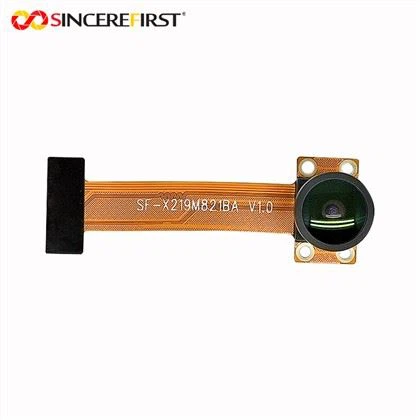
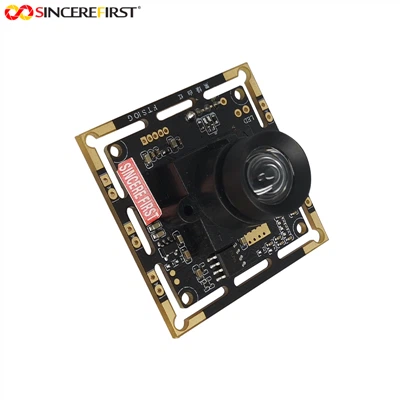
Hey there! As a supplier of the OV7725 Camera Module, I've seen my fair share of issues when these little guys don't work as expected. In this blog, I'll walk you through some common problems and how to troubleshoot them.


1. Check the Physical Connections
First things first, you gotta make sure all the physical connections are on point. A loose or incorrect connection can cause a whole bunch of problems.
- Power Connection: The OV7725 needs a stable power supply. Check if the power cable is properly plugged in and that the voltage is within the module's specified range. If the power supply is too low, the camera might not turn on at all. On the other hand, if it's too high, it could damage the module.
- Data Connection: The data connection is crucial for the camera to communicate with your device. Whether it's an SPI or I2C connection, ensure that the wires are connected to the right pins. A misconnected data line can lead to data transfer errors or no data being received at all.
2. Verify the Power Supply
As mentioned earlier, a stable power supply is key. Here are some things to keep in mind:
- Voltage and Current: Check the datasheet of the OV7725 to find out the required voltage and current. Use a multimeter to measure the actual voltage and current supplied to the module. If they're not within the specified range, you might need to adjust your power source.
- Power Source Quality: A noisy power source can also cause issues. Consider using a power filter or a regulated power supply to ensure a clean and stable power output.
3. Check the Camera Settings
Sometimes, the problem might be with the camera settings. Here's what you can do:
- Configuration Registers: The OV7725 has a set of configuration registers that control various aspects of the camera, such as resolution, frame rate, and exposure. Make sure these registers are set correctly. You can use a programming interface to read and write to these registers.
- Firmware Updates: Check if there are any firmware updates available for the OV7725. Sometimes, a firmware update can fix bugs and improve the camera's performance.
4. Look for Hardware Damage
Hardware damage can also be a culprit. Here are some signs to look out for:
- Visible Damage: Inspect the camera module for any visible signs of damage, such as cracked PCB, burnt components, or loose wires. If you find any damage, the module might need to be replaced.
- Overheating: If the camera module gets too hot, it could indicate a problem. Check if the heat sink is properly installed and if there's enough ventilation around the module.
5. Test with Different Devices
If you're still having problems, try testing the OV7725 with different devices. This can help you determine if the problem is with the camera module or the device it's connected to.
- Compatibility: Make sure the device you're using is compatible with the OV7725. Some devices might not support the camera's communication protocol or might have driver issues.
- Software Testing: Use different software applications to test the camera. Sometimes, a software bug can cause the camera to malfunction.
6. Seek Technical Support
If you've tried all the above steps and still can't get the OV7725 to work, it might be time to seek technical support. You can reach out to the manufacturer or a professional technician for help.
- Online Forums: There are many online forums where you can find other users who have faced similar issues. You can post your problem and see if anyone has a solution.
- Manufacturer Support: Contact the manufacturer's support team. They can provide you with more detailed troubleshooting steps or even offer a replacement if the module is defective.
Other Camera Modules You Might Be Interested In
If you're still having trouble with the OV7725 or are looking for other camera modules, we also offer some great alternatives:
- Imx291 Usb: This is a high-quality USB camera module with excellent image quality.
- Night Vision VGA Omnivision Ov7720 CSI High Speed Usb2.0 Camera Module: Ideal for low-light environments, this camera module offers great night vision capabilities.
- 4K Industrial Vision IR Filter AR2020 CMOS USB Camera Module: If you need high-resolution imaging for industrial applications, this module is a great choice.
Conclusion
Troubleshooting the OV7725 Camera Module can be a bit of a challenge, but by following these steps, you should be able to identify and fix most problems. If you're still having issues or are interested in purchasing our camera modules, feel free to reach out for a procurement discussion. We're here to help you find the right solution for your needs.
References
- OV7725 Datasheet
- Camera Module Troubleshooting Guides