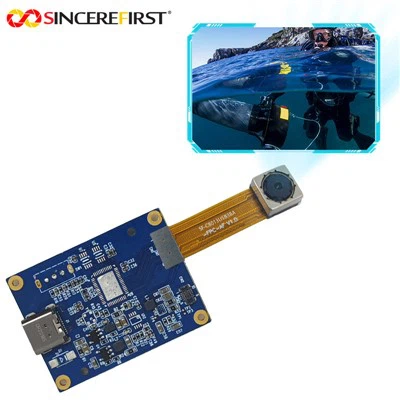
As a supplier of 8MP USB camera modules, I understand the importance of protecting these delicate devices from damage. In this blog post, I'll share some practical tips and strategies to ensure the longevity and optimal performance of your 8MP USB camera module.
1. Physical Protection
One of the most straightforward ways to protect your 8MP USB camera module is through physical safeguards. When the camera is not in use, it should be stored in a dedicated case or container. This case should be padded to absorb any shocks or impacts that might occur during storage or transportation. For example, a foam - lined hard case can provide excellent protection against accidental drops or knocks.
When installing the camera, make sure it is mounted securely. Loose mounting can cause the camera to vibrate, which may lead to internal components becoming loose over time. Use high - quality mounting hardware that is appropriate for the environment where the camera will be installed. If the camera is to be used in an industrial setting, consider using a ruggedized housing that can withstand harsh conditions such as dust, dirt, and moisture.
2. Environmental Considerations
The environment in which the 8MP USB camera module operates can have a significant impact on its lifespan. Temperature is a crucial factor. Most camera modules are designed to operate within a specific temperature range. Extreme heat can cause the camera's internal components to expand, which may lead to malfunctions or even permanent damage. On the other hand, extremely cold temperatures can make the components brittle and more prone to breakage.
It is advisable to install the camera in an area with proper ventilation. This helps to dissipate heat generated by the camera during operation. If the camera is used in a hot environment, consider using a cooling system such as a small fan or heat sink.
Humidity is another environmental factor to consider. High humidity can cause condensation inside the camera, which can damage the electronic components. If the camera is used in a humid area, use a dehumidifier or a moisture - resistant housing. Dust and dirt can also accumulate on the camera lens and internal components, affecting the image quality. Regularly clean the camera lens with a soft, lint - free cloth, and if possible, use a dust - proof cover.
3. Electrical Protection
Electrical surges can be extremely damaging to the 8MP USB camera module. To protect against these surges, use a surge protector. A surge protector can absorb excess voltage and prevent it from reaching the camera. When connecting the camera to a power source or a computer, make sure the power supply is stable. Unstable power can cause the camera to malfunction or even damage its internal circuits.
Avoid plugging and unplugging the camera while it is powered on. This can cause electrical arcing, which may damage the USB connector or other internal components. Always follow the proper shutdown and startup procedures when using the camera.
4. Software and Firmware Management
Keeping the camera's software and firmware up - to - date is essential for its protection. Manufacturers often release updates to fix bugs, improve performance, and enhance security. These updates can also include features that help protect the camera from potential threats.
Regularly check the manufacturer's website for the latest software and firmware updates. Follow the instructions carefully when installing these updates to avoid any issues. Before updating, it is a good idea to back up any important data or settings associated with the camera.
5. Handling and Usage
Proper handling of the 8MP USB camera module is crucial. When moving the camera, hold it firmly but gently. Avoid applying excessive force or pressure, as this can damage the internal components. When cleaning the camera, use only recommended cleaning agents and tools. Harsh chemicals or abrasive materials can scratch the lens or damage the camera's exterior.
Limit the camera's usage to its intended purpose. Overusing the camera, such as continuous recording for long periods without breaks, can cause it to overheat and wear out faster. If you need to use the camera for extended periods, give it regular breaks to cool down.
Our Product Range
At our company, we offer a wide range of high - quality USB camera modules, including the 2MP GC2755 Fixed Focus USB Camera Module, the Sony IMX258 Computer Vision Industrial Camera Module For Machine Vision, and the IMX662 CMOS 2MP Mini USB IRS Camera Module. All our products are designed with durability and performance in mind, and we are committed to providing our customers with the best possible support and solutions.
Contact Us for Procurement
If you are interested in purchasing our 8MP USB camera modules or have any questions about protecting your camera, we encourage you to contact us. Our team of experts is ready to assist you with your procurement needs and provide you with detailed information about our products. We look forward to working with you to find the best camera solutions for your specific requirements.
References
- Camera Module Manufacturer's Manuals
- Industry Standards for Electronic Device Protection
- Research Papers on Camera Module Durability and Maintenance