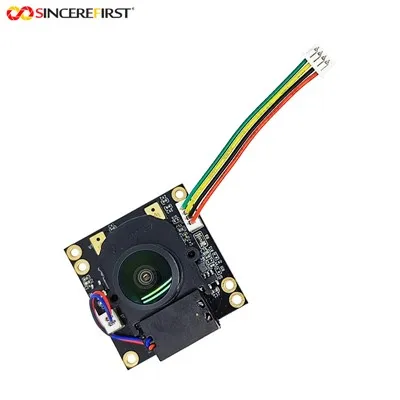
Hey there, tech enthusiasts! As a supplier of 4K USB Camera Modules, I often get asked about how to update the firmware of these nifty devices. Firmware updates are super important as they can enhance performance, add new features, and fix bugs. So, let's dive right into it and learn how to update the firmware of a 4K USB Camera Module.
Why Update the Firmware?
First off, you might be wondering why you even need to update the firmware. Well, think of firmware as the software that runs your camera module. Just like your phone or computer needs software updates to work better, your camera module needs firmware updates too.
- Improved Performance: Updates can optimize the camera's processing speed, making it faster and more efficient. This means you'll get smoother video playback and quicker response times.
- New Features: Manufacturers are always coming up with cool new features. Firmware updates can bring these features to your camera module, like better image stabilization or new shooting modes.
- Bug Fixes: Bugs can cause all sorts of problems, from random freezes to poor image quality. Firmware updates patch these bugs, ensuring your camera works as it should.
Prerequisites
Before you start the firmware update process, there are a few things you need to do:


- Check Compatibility: Make sure the firmware you're downloading is compatible with your specific 4K USB Camera Module model. You can usually find this information on the manufacturer's website.
- Backup Your Data: Although firmware updates usually don't affect your stored data, it's always a good idea to back it up just in case.
- Charge Your Devices: Ensure your camera module and the device you're using to update it (like a computer) are fully charged or connected to a power source. This prevents the update from getting interrupted.
- Download the Firmware: Head over to the manufacturer's website and find the latest firmware for your camera module. Make sure to download it from a reliable source to avoid any security risks.
Step-by-Step Guide to Updating Firmware
Now that you've got everything ready, let's go through the steps to update the firmware:
- Connect Your Camera Module: Plug your 4K USB Camera Module into your computer using a USB cable. Make sure the connection is secure.
- Install the Update Utility: Some camera modules require a specific update utility to install the firmware. Download and install this utility from the manufacturer's website if needed.
- Launch the Update Utility: Once the utility is installed, open it on your computer. The utility will usually detect your camera module automatically.
- Load the Firmware File: In the update utility, locate the firmware file you downloaded earlier. Select it to start the update process.
- Follow the On-Screen Instructions: The update utility will guide you through the rest of the process. This may include confirming the update, waiting for the installation to complete, and restarting your camera module.
- Verify the Update: After the update is finished, check the camera module's settings to make sure the new firmware version is installed. You can also test the camera to see if there are any improvements.
Troubleshooting
Sometimes, things don't go as smoothly as we'd like. Here are some common issues you might encounter during the firmware update process and how to fix them:
- Update Failed: If the update fails, check your internet connection, make sure the firmware file is not corrupted, and try again. You can also contact the manufacturer's support team for assistance.
- Camera Not Detected: If the update utility can't detect your camera module, try unplugging and plugging it back in, or using a different USB port.
- Error Messages: Pay attention to any error messages you receive. They can provide clues about what's going wrong. You can usually find solutions to these errors on the manufacturer's website or support forums.
Our 4K USB Camera Module Offerings
As a 4K USB Camera Module supplier, we offer a wide range of high-quality products. Check out some of our popular models:
- Digital Camera Module Board With WIFI: This camera module comes with built-in Wi-Fi, allowing you to connect it to your devices wirelessly and transfer data easily.
- High Speed Vision Inspection Systems Sony IMX766 Best Sensor Camera Module: Featuring the Sony IMX766 sensor, this camera module offers high-speed and high-resolution imaging, making it perfect for vision inspection systems.
- 16mp camera module: With a 16-megapixel resolution and a wide-angle lens, this camera module is great for capturing wide scenes with high clarity.
Conclusion
Updating the firmware of your 4K USB Camera Module is a simple process that can bring a lot of benefits. By following the steps outlined in this blog post, you can ensure your camera module is always up-to-date and performing at its best.
If you're interested in purchasing our 4K USB Camera Modules or have any questions about firmware updates, feel free to reach out. We're here to help you find the perfect camera solution for your needs.
References
- Manufacturer's website for 4K USB Camera Module firmware updates
- Online tech forums for troubleshooting tips and user experiences