Hey there, fellow foodies and photography enthusiasts! If you're like me, you love capturing the deliciousness of a perfectly plated meal or a mouthwatering dessert. And what better way to do that than with the Raspberry Pi camera? In this blog post, I'll share some tips and tricks on how to use the Raspberry Pi camera for food photography, all while letting you know that I'm a supplier of some top - notch Camera Raspberry PI products.
Getting to Know Your Raspberry Pi Camera
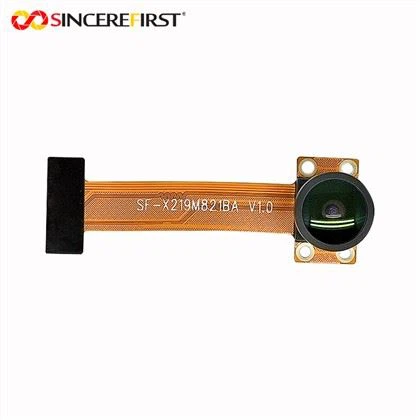
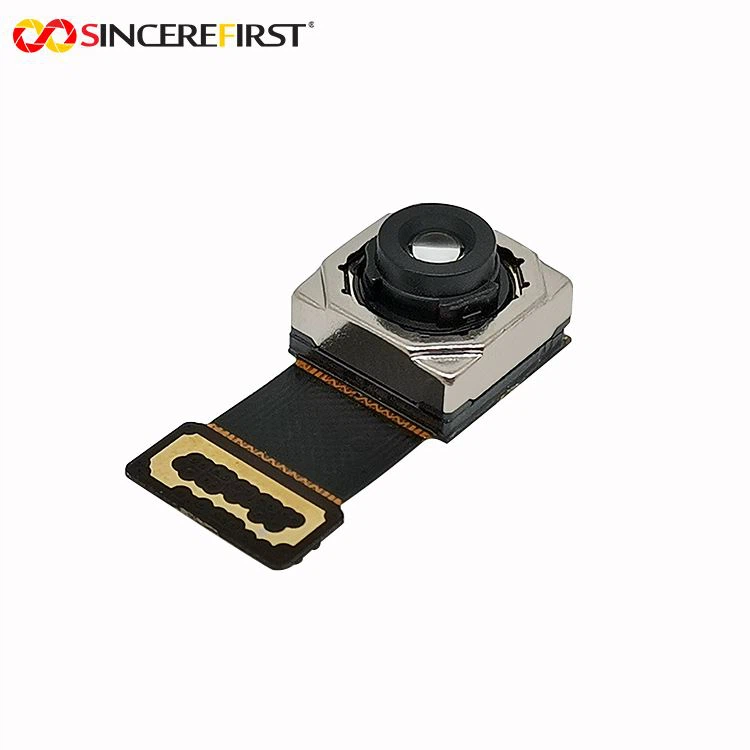
First off, let's talk about the different types of Raspberry Pi cameras available. We've got the Raspberry PI Camera Module, which is a great all - around option for beginners. It's easy to set up and can take some pretty decent shots. Then there's the 12MP IMX708 Raspberry Pi Camera Module. This one is a bit more advanced, with a high - resolution 12 - megapixel sensor that can capture even the finest details of your food. And if you're looking for something really special, check out the Ambarella Camera Module. It offers some unique features that can take your food photography to the next level.
Setting Up Your Raspberry Pi Camera
The first step in using your Raspberry Pi camera for food photography is to set it up properly. Here's a quick rundown of what you need to do:
Hardware Setup
- Connect the camera module to your Raspberry Pi. You'll usually do this by sliding the ribbon cable into the camera port on the Pi. Make sure it's securely in place.
- Power up your Raspberry Pi. Once it's up and running, you should be ready to go.
Software Setup
- Update your Raspberry Pi's operating system. You can do this by running the following commands in the terminal:
sudo apt update
sudo apt upgrade
- Enable the camera interface. Open the Raspberry Pi Configuration tool (you can find it in the menu). Navigate to the Interfaces tab and enable the Camera option. Then click OK and reboot your Pi.
Lighting is Key
When it comes to food photography, lighting is everything. You want to make your food look as appealing as possible, and the right lighting can make all the difference.
Natural Light
One of the best ways to light your food is with natural light. Find a spot near a window, preferably on an overcast day. This will give you soft, diffused light that won't create harsh shadows. You can also use reflectors (like a white piece of cardboard) to bounce light onto the food and fill in any dark areas.
Artificial Light
If natural light isn't an option, you can use artificial light. Softbox lights are a great choice for food photography. They produce a soft, even light that's similar to natural light. You can also use LED strip lights to add some extra illumination.
Composition and Framing
Now that you've got your lighting sorted, it's time to think about composition and framing. Here are some tips to make your food photos more appealing:
- Rule of Thirds: Imagine dividing your frame into a 3x3 grid. Place the most important parts of your food (like the focal point or the main ingredient) along the lines or at the intersection points of the grid. This creates a more balanced and visually interesting image.
- Leading Lines: Use lines in the composition, such as the edge of a plate or a row of utensils, to lead the viewer's eye to the food.
- Negative Space: Don't be afraid to leave some empty space in your frame. It can help make the food stand out and give the photo a more elegant look.
Camera Settings
The Raspberry Pi camera offers a range of settings that you can adjust to get the perfect shot.

- Resolution: For food photography, you'll generally want to use a high resolution to capture all the details. You can set the resolution in the camera app or in the terminal if you're using the command - line interface.
- ISO: The ISO setting controls the sensitivity of the camera's sensor. For bright lighting conditions, use a low ISO (e.g., 100 - 200) to get a sharp, noise - free image. In low - light situations, you may need to increase the ISO, but be aware that this can introduce more noise.
- Shutter Speed: A slower shutter speed can create a blurred effect, which can be useful for showing movement (like steam rising from a hot dish). However, for most food photos, you'll want a fast shutter speed to freeze the action and keep the image sharp.
Editing Your Photos
Once you've taken your food photos, you can enhance them further with some editing. There are many free and paid photo - editing tools available. Some popular options include GIMP (a free and open - source alternative to Photoshop) and Adobe Lightroom.
- Adjusting Exposure: Make sure the food is well - lit in the photo. You can increase or decrease the exposure to make it brighter or darker.
- Color Correction: Adjust the colors to make the food look more vibrant and appealing. You can increase the saturation and contrast to make the colors pop.
- Cropping: Crop the photo to remove any distractions and focus on the main subject.
Using the Raspberry Pi Camera for Video
If you're interested in making food videos, the Raspberry Pi camera can be a great tool. You can set it up to record high - quality videos of your cooking process or food presentations. Just make sure to adjust the settings for video recording, such as the frame rate and resolution.
Why Choose Our Raspberry Pi Cameras?
As a supplier of Camera Raspberry PI products, I can tell you that our cameras offer a lot of great features. They're reliable, easy to use, and come with excellent customer support. Whether you're a beginner or a professional food photographer, our cameras can meet your needs.
If you're interested in purchasing any of our Raspberry Pi cameras, we'd love to talk to you. We can provide more detailed information about each product, including prices and shipping options. Just get in touch with us to start the procurement discussion. We're here to help you take your food photography to the next level!
References
- Raspberry Pi Foundation Documentation.
- Online photography blogs and forums.