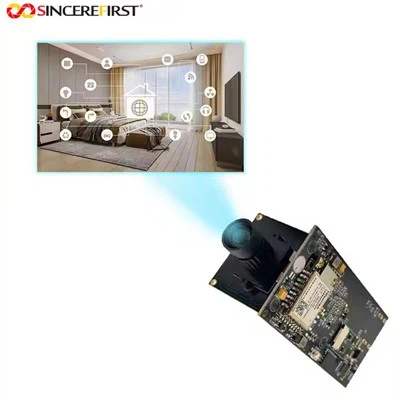
Hey there! As a supplier of USB 2.0 camera modules, I often get asked about the color accuracy of these nifty little devices. So, I thought I'd sit down and have a chat with you about what color accuracy really means in the context of USB 2.0 camera modules.
First off, let's break down what color accuracy is. In simple terms, color accuracy refers to how closely the colors captured by a camera match the actual colors of the scene in real life. When a camera has high color accuracy, the images it takes look just like what your eyes see. On the other hand, if the color accuracy is poor, the colors in the photos might be off - too saturated, too dull, or have a color cast.
Now, when it comes to USB 2.0 camera modules, color accuracy can be influenced by several factors. One of the most important factors is the image sensor. The sensor is like the heart of the camera module; it's responsible for capturing light and converting it into an electrical signal that can be turned into an image. Different sensors have different capabilities when it comes to color reproduction.
For example, our 1MP Sensor OV9712 Mini Camera Module For Linux/Android/Wins uses the OV9712 sensor. This sensor is known for its decent color accuracy. It's able to capture a wide range of colors and reproduce them fairly accurately. The OV9712 has a good balance between sensitivity to different wavelengths of light, which helps in getting true - to - life colors.
Another factor that affects color accuracy is the image processing algorithm. After the sensor captures the light, the camera module uses an algorithm to process the data and turn it into an image. A well - designed algorithm can enhance the color accuracy by adjusting the color balance, contrast, and saturation. Our engineers work hard to develop algorithms that optimize the color reproduction of our camera modules.
Let's take a look at our OV7725 VGA Sensor USB Camera Module. The OV7725 sensor is a popular choice for many applications. It has its own unique way of capturing and processing colors. The image processing algorithm in this module is tuned to bring out the best in the sensor's color - capturing capabilities. It can handle different lighting conditions quite well and still produce images with good color accuracy.
Lighting conditions also play a huge role in color accuracy. Different types of light sources emit light with different color temperatures. For example, natural sunlight has a different color temperature compared to indoor fluorescent lights. A good USB 2.0 camera module should be able to adjust to these different lighting conditions and still maintain color accuracy.
Our camera modules are designed with automatic white balance (AWB) features. AWB is a technology that helps the camera adjust the color balance based on the lighting conditions. When the camera detects a certain type of light, it adjusts the colors in the image so that white objects appear white. This is crucial for achieving accurate color reproduction in various environments.


The bit depth of the camera module is another aspect to consider. Bit depth refers to the number of bits used to represent each color channel (red, green, and blue). A higher bit depth means that the camera can capture a wider range of colors and more subtle color variations. Our 8mp USB Camera Module has a relatively high bit depth, which allows it to capture rich and detailed colors.
Now, you might be wondering how we test the color accuracy of our USB 2.0 camera modules. We use a combination of industry - standard test charts and real - world testing. Test charts are specially designed with a variety of colors and patterns. We take images of these charts using our camera modules and then analyze the results using software. The software measures how closely the colors in the image match the known colors on the chart.
In real - world testing, we take our camera modules to different locations and different lighting conditions. We capture images of various scenes, from landscapes to still - life objects. Then, we compare the images to what our eyes see in person. This helps us ensure that our camera modules perform well in real - life situations.
One of the challenges with USB 2.0 camera modules is the bandwidth limitation. USB 2.0 has a maximum data transfer rate of 480 Mbps. This can sometimes affect the quality of the image, including color accuracy. When the camera is trying to transfer a large amount of data quickly, it might have to make some compromises. However, our engineers have developed techniques to optimize the data transfer and minimize the impact on color accuracy.
We also offer calibration options for our camera modules. Calibration can fine - tune the color accuracy of the camera module. It involves adjusting the settings of the camera based on the specific requirements of the application. For example, if you're using the camera module for a color - critical application like graphic design or medical imaging, calibration can ensure that the colors are as accurate as possible.
So, why is color accuracy important? Well, in many applications, accurate color reproduction is essential. In the field of photography, for example, photographers want their images to look as close to the real scene as possible. In industrial inspection, accurate colors can help in detecting defects or identifying different materials. In video conferencing, good color accuracy makes the communication more natural and engaging.
If you're in the market for a USB 2.0 camera module and color accuracy is a priority for you, we've got you covered. Our range of camera modules, including the ones I've mentioned above, are designed to offer high - quality color reproduction. Whether you're a hobbyist, a professional photographer, or a business looking for a reliable camera solution, we can provide you with a camera module that meets your needs.
If you're interested in learning more about our USB 2.0 camera modules or want to discuss your specific requirements, don't hesitate to reach out. We're always happy to have a chat and help you find the perfect camera module for your project.
References
- "Digital Image Processing" by Rafael C. Gonzalez and Richard E. Woods
- "Camera Technology Handbook" by F. Donald Farmer