


Smart glasses need a camera that can support useful visual functions within limited processing, battery and installation budgets. Our OG12B10-1B custom module, now available for sampling, uses OMNIVISION's OG12B10 sensor to combine 12MP imaging, on-sensor processing and always-on functionality as a platform for developing those functions.

What Changes When Processing Moves into the Sensor?
In a host-based vision pipeline, the camera captures images and the host handles the detection or recognition work. That workload applies even when the application is looking for a specific object or gesture.
OG12B10 integrates a CPU, NPU and SRAM alongside image sensing. Its distinction is the ability to run customer-defined visual tasks on the sensor, providing an opportunity to reduce host workload and system data bandwidth. Tasks can be evaluated for allocation between sensor and host.
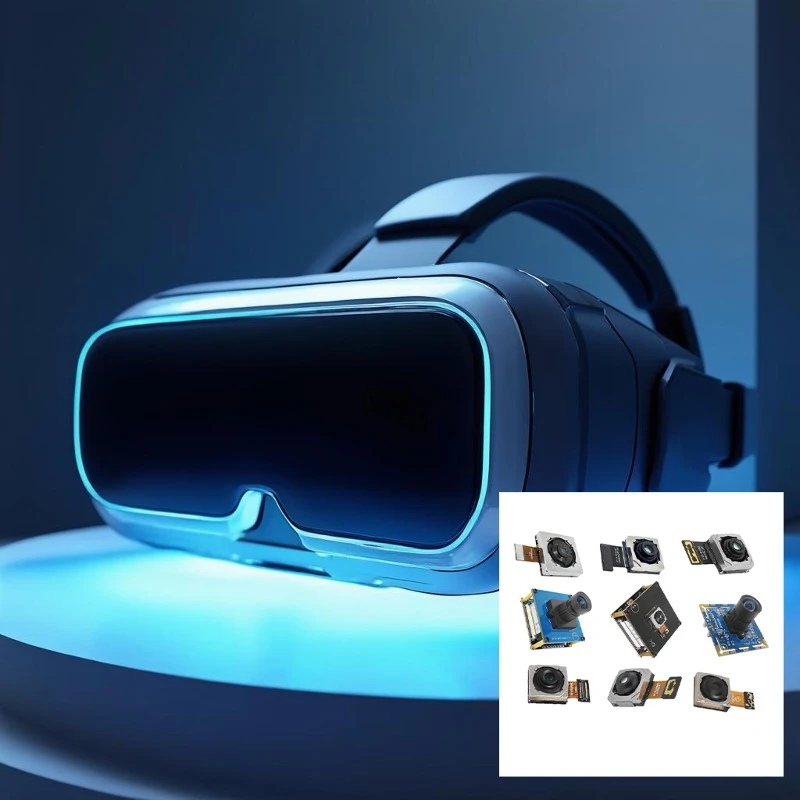
Four Features That Matter to the Product Design
1. On-Sensor Computing for Defined Visual Tasks
OMNIVISION identifies object detection, recognition, gesture recognition and contextual awareness as supported processing directions. Its CPU supports customer-defined algorithms, with NPU and memory resources integrated in the same chip.
For glasses designed to identify selected objects, the team can evaluate moving a detection or recognition stage onto the sensor rather than assigning the entire vision pipeline to the host. This changes where work is performed; it does not mean a finished recognition application is included with the camera.

2. Always-On Functionality for Awareness Between Captures
A scene-aware wearable may need visual sensing while the wearer is not taking photos or recording video. That creates a different requirement from continuously running a high-resolution capture mode.

OG12B10 provides always-on functionality and low-power pixel technology, with a documented ultra-low-power output mode. These features give the team a basis for evaluating background sensing separately from active capture. The useful test is the energy consumed over the product's actual sensing and capture schedule, rather than the power of one isolated mode.
3. A Choice Between Image Detail and More Frequent Updates
The sensor offers two documented resolution and frame-rate combinations with different selection value:
| OG12B10 sensor mode | Why a customer would evaluate it |
|---|---|
| 4032 × 3024 at up to 60fps | Retains more image information for scene capture and examining a selected region of the frame. |
| 2016 × 1512 at up to 120fps | Provides more frequent frame updates when evaluating gestures or changes in the scene, with fewer pixels per frame. |
The choice depends on whether the task needs smaller details or more frequent observations. Faster frame delivery does not by itself prevent motion blur. These are sensor specifications; the operating modes supported by the selected module configuration need confirmation during sampling.
4. Compact Optics and MIPI Choices for Wearable Integration
A 1/3.57-inch optical format provides the starting point for selecting a lens around the target scene and the space available in the glasses. It describes the sensor's optical format, not finished module dimensions.
The chip supports MIPI D-PHY and C-PHY, giving designers interface options at the sensor level. Before fixing the camera configuration, confirm the host's supported PHY, RAW input and required operating mode. This helps establish whether the proposed imaging path fits the platform.
Three Customer Applications to Evaluate
Object Assistance in Smart Glasses
For glasses that identify selected objects, evaluate sensor-side detection or recognition and measure the host processing and image transfer that stage can replace.
Gesture-Controlled Wearables
Evaluate sensor-side gesture processing with the higher-frame-rate mode. Test the intended hand movements at the actual camera position and viewing distance.
Context-Aware Photo and Video Glasses
The sensor also supports 4K video. Glasses combining background awareness with photos or video can evaluate separate sensing and capture requirements, allocating energy according to the function being used.
What We Can Provide with OG12B10-1B
Module development is complete, and samples are available. Customers can start with a physical module when assessing installation fit, image output and host integration.
For a customization discussion, bring the requirements that determine the camera design:
What must be detected or recognized, and which processing tasks you want to move off the host.
Required viewing area, working distance and image detail.
Installation envelope, mounting and connection requirements.
Host platform, interface, capture schedule and power budget.
We can review these needs against the sample configuration and discuss further customization. Software deployment support and available sensor-processing functions should be confirmed for the project.
Frequently Asked Questions
Is This Different from a Camera That Only Sends Images to the Host?
Yes. OG12B10 adds resources for customer-defined processing at the sensor, allowing selected visual tasks to be evaluated there rather than solely on the host.
Can I Run Any AI Model on It?
Do not assume unrestricted model support. Check the deployment tools, supported operations and processing resources against the intended algorithm before planning the application.
Does Always-On Mean All-Day Battery Life?
No. Always-on functionality supports an operating approach; battery capacity, sensing schedule, capture activity and the rest of the device determine runtime.
Is 120fps the Right Choice for Every Project?
No. Evaluate the higher-frame-rate mode when update frequency matters. Use the higher-resolution mode when the task depends more on image detail, subject to module support.
Request a Sample Around Your Visual Task
Tell us what your glasses need to see, what they must recognize and where the current design is constrained. We can provide an OG12B10-1B sample and review the camera configuration against those requirements.


