Hey there! As a supplier of USB 3.0 camera modules, I've got a ton of hands - on experience with how these nifty devices interact with other USB gadgets. So, let's dig right in and explore this topic.
First off, what makes USB 3.0 so special? Well, compared to its predecessors, USB 3.0 offers way faster data transfer speeds. It can handle up to 5 Gbps, which is a huge leap from the USB 2.0's 480 Mbps. This high - speed data transfer is crucial when it comes to camera modules because they need to send large amounts of image and video data in real - time.
When a USB 3.0 camera module is connected to other USB devices, the first thing that happens is the negotiation of the connection. The camera module and the host device (like a computer or a USB hub) go through a process called enumeration. During this process, the host device asks the camera module about its capabilities, such as the maximum resolution it can capture, the frame rate, and the supported video formats.
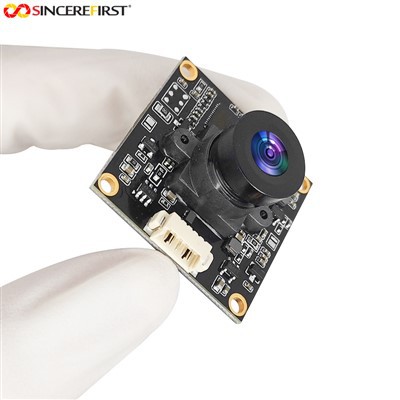
Let's say you connect our Machine Vision Sony IMX415 STARVIS 8MP USB 3.0 Camera Module to a computer. The computer will send out a series of requests to the camera module. The camera module then responds with information about its hardware and software features. Based on this information, the computer can then load the appropriate drivers for the camera module.
Once the enumeration is complete, the data transfer can start. The camera module captures images or videos and sends them to the host device. Thanks to the high - speed USB 3.0 interface, the data can be transferred quickly, allowing for smooth video streaming and high - quality image capture.
Now, let's talk about how USB 3.0 camera modules interact with USB hubs. USB hubs are like traffic controllers for USB devices. They allow multiple USB devices to be connected to a single USB port on a host device. When a USB 3.0 camera module is connected to a USB hub, the hub needs to manage the bandwidth effectively.
Since the USB 3.0 camera module requires a significant amount of bandwidth to transfer high - resolution images and videos, the hub has to make sure that there's enough bandwidth available. If there are too many devices connected to the hub, the performance of the camera module might be affected. For example, you might experience lower frame rates or reduced image quality.
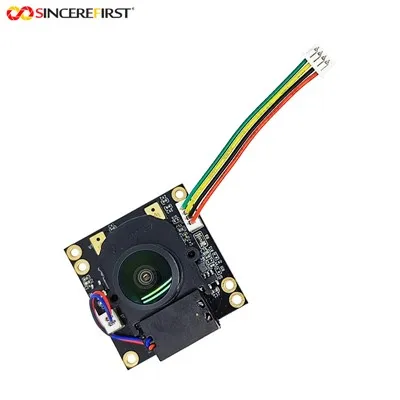
Our Dual USB Camera Module is a great example of a device that can be connected to a USB hub. It has two cameras in one module, which means it needs even more bandwidth. When connecting it to a USB hub, you need to be extra careful about the other devices connected to the same hub to ensure optimal performance.
Another aspect of the interaction between USB 3.0 camera modules and other USB devices is power management. USB 3.0 devices can draw different amounts of power depending on their usage. The camera module might draw more power when it's capturing high - resolution images or recording videos at a high frame rate.
The host device or the USB hub needs to be able to supply enough power to the camera module. If the power supply is insufficient, the camera module might not work properly. It could experience issues like sudden shutdowns or unstable performance.
Let's take our 12MP IMX577 Fixed Focus USB Camera Module as an example. This high - resolution camera module requires a stable power supply to capture sharp and clear images. If it's connected to a device or a hub that can't provide enough power, you won't get the best results.
Some USB devices also support USB On - The - Go (OTG). This feature allows a USB device to act as a host device. For example, a smartphone with USB OTG support can be connected to a USB 3.0 camera module. In this case, the smartphone becomes the host, and it can communicate with the camera module just like a computer would.
This opens up a whole new world of possibilities. You can use your smartphone to capture high - quality images and videos with our USB 3.0 camera modules. It's a great option for on - the - go photography and videography.
In addition to the technical aspects, there are also some practical considerations when it comes to the interaction between USB 3.0 camera modules and other USB devices. For example, the length of the USB cable can affect the performance. A longer cable might introduce signal loss, which can result in reduced image quality or slower data transfer speeds.
It's also important to use high - quality USB cables. Cheap cables might not be able to handle the high - speed data transfer of USB 3.0 properly, leading to issues like data corruption or connection instability.
So, if you're in the market for a USB 3.0 camera module and want to know how it will work with your existing USB devices, we're here to help. Our team of experts can provide you with all the information you need to make an informed decision. Whether you're a professional photographer, a hobbyist, or a business looking for a reliable camera solution, our USB 3.0 camera modules are a great choice.


If you're interested in purchasing our products or have any questions about how our USB 3.0 camera modules interact with other USB devices, feel free to reach out to us. We're always happy to have a chat and discuss your specific needs.
References:
- USB Implementers Forum. USB 3.0 Specification.
- Various technical documents from camera module manufacturers.