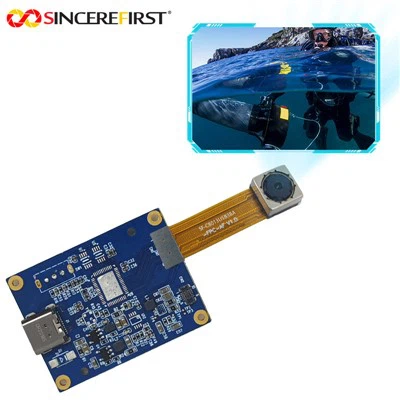
As a supplier of OV5640 Autofocus, I've encountered numerous clients grappling with autofocus failure issues in the OV5640 camera module. In this blog, I will share some insights and practical solutions based on my years of experience and in - depth knowledge of the product.
1. Understanding the OV5640 Autofocus System
The OV5640 is a popular 5 - megapixel image sensor known for its high - quality imaging capabilities. Its autofocus system is designed to quickly and accurately adjust the focus of the camera lens to capture sharp images. However, several factors can lead to autofocus failure.
1.1 Hardware - related Causes
- Lens Misalignment: During the manufacturing process or due to physical impacts, the lens in the OV5640 module may become misaligned. This misalignment can prevent the autofocus mechanism from properly adjusting the distance between the lens and the image sensor, resulting in blurry images.
- Motor Malfunction: The autofocus motor is responsible for moving the lens to achieve focus. If the motor is damaged, has poor electrical connections, or is experiencing mechanical wear and tear, it may not be able to move the lens smoothly, leading to autofocus failure.
- Sensor Issues: Problems with the image sensor itself, such as a damaged pixel array or a faulty analog - to - digital converter, can also affect the autofocus system. The autofocus algorithm relies on accurate image data from the sensor to calculate the optimal focus position. If the sensor data is inaccurate or corrupted, the autofocus will not work correctly.
1.2 Software - related Causes
- Outdated Firmware: The OV5640 module uses firmware to control the autofocus process. Outdated firmware may contain bugs or may not be optimized for the latest autofocus algorithms. This can lead to issues such as slow autofocus speed, inaccurate focus, or complete autofocus failure.
- Incorrect Algorithm Settings: The autofocus algorithm has various parameters that need to be properly configured for optimal performance. If these settings are incorrect, for example, if the focus step size is too large or the focus search range is too narrow, the autofocus system may not be able to find the correct focus position.
2. Diagnostic Methods
2.1 Visual Inspection
- First, carefully examine the OV5640 module for any visible signs of physical damage. Check if the lens is cracked, loose, or misaligned. Look for any signs of damage to the motor or the electrical connections.
- Inspect the printed circuit board (PCB) for any signs of short - circuits, burnt components, or corrosion. Physical damage to the PCB can disrupt the electrical signals required for the autofocus system to function properly.
2.2 Testing with a Known - Good System
- If possible, test the OV5640 module in a known - good system. This can help determine if the problem is specific to the module or if it is related to the host device. For example, if the module works fine in another device but fails in the original device, the issue may be with the host device's driver or software settings.
2.3 Firmware and Software Checks
- Check the firmware version of the OV5640 module. Compare it with the latest available firmware from the manufacturer. If an update is available, follow the manufacturer's instructions to update the firmware.
- Review the autofocus algorithm settings in the software. Make sure that the parameters are correctly configured for the specific application. Some software tools allow you to adjust these settings in real - time, which can be useful for troubleshooting.
3. Solutions to Autofocus Failure
3.1 Hardware Fixes
- Lens Realignment: If the lens is misaligned, it may be possible to realign it. However, this requires specialized tools and skills. In most cases, it is recommended to send the module back to the manufacturer or a professional repair service for realignment.
- Motor Replacement: If the autofocus motor is malfunctioning, it may need to be replaced. Again, this is a delicate process that should be carried out by a professional. Make sure to use a compatible replacement motor to ensure proper functionality.
- Sensor Replacement: If the image sensor is damaged, it will need to be replaced. This is a complex and costly repair, and it is often more cost - effective to replace the entire OV5640 module.
3.2 Software Fixes
- Firmware Update: As mentioned earlier, updating the firmware can often resolve autofocus issues. The latest firmware usually includes bug fixes and performance improvements for the autofocus system.
- Algorithm Tuning: Adjust the autofocus algorithm settings to optimize the performance. This may involve increasing or decreasing the focus step size, expanding the focus search range, or adjusting other parameters based on the specific requirements of the application.
4. Preventive Measures
4.1 Proper Handling and Installation
- When handling the OV5640 module, make sure to follow the manufacturer's guidelines. Avoid dropping or subjecting the module to excessive physical stress.
- During installation, ensure that the module is properly seated and that all electrical connections are secure. Improper installation can lead to misalignment or electrical issues that can affect the autofocus system.
4.2 Regular Maintenance
- Keep the OV5640 module clean. Dust and debris on the lens or the sensor can affect image quality and the autofocus performance. Use a soft, lint - free cloth to clean the lens and the module.
- Periodically check the firmware version and update it as needed. This can help prevent issues caused by outdated firmware.
5. Our Product Portfolio
As an OV5640 Autofocus supplier, we not only provide solutions for autofocus failure but also offer a wide range of high - quality camera modules. For instance, we have the OV5648 5MP USB Camera Module, which features excellent autofocus capabilities and high - resolution imaging. Our Best 13MP Sony IMX258 Autofocus USB Camera Sensor Module is another great option for those who need higher - resolution images with fast and accurate autofocus. And if you are looking for a 5MP USB Camera with an auto - focus lens and 30FPS frame rate, our 5MP USB Camera Auto Focus Lens 30FPS Camera Module is a perfect choice.
6. Contact Us for Procurement
If you are facing autofocus failure issues with your OV5640 module or are interested in purchasing our high - quality camera modules, we are here to assist you. Our team of experts can provide technical support, product recommendations, and help you with the procurement process. Whether you are a small - scale business or a large - scale enterprise, we have the products and services to meet your needs.


References
- Omnivision Technologies, Inc. OV5640 Datasheet.
- Industry research reports on image sensor autofocus technologies.