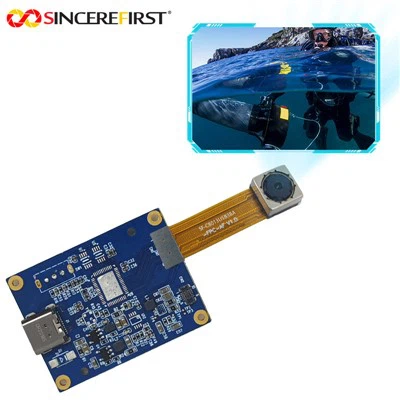
"Ensuring the stability of the Imx291 USB connection is crucial for both our customers and us as an Imx291 USB supplier. In this blog post, I'll share some key factors and strategies to help guarantee a steady and reliable connection for the Imx291 USB devices.
First and foremost, understanding the Imx291 USB in - depth is essential. The Imx291 is a high - performance image sensor often used in various camera modules. It depends on a stable USB connection to transfer high - quality image data in a timely manner. Any instability in the USB connection can lead to data loss, image artifacts, or even complete system failures.
1. Hardware Considerations
Cable Quality
The quality of the USB cable plays a fundamental role in connection stability. A poor - quality cable may have issues such as loose connections, signal interference, or insufficient power delivery. As a supplier, we always recommend using high - grade USB cables that meet the relevant standards. For example, USB 3.0 cables are preferred when possible, as they offer better data transfer rates and power management capabilities compared to older USB 2.0 cables.
Another important aspect is to check the cable length. Longer cables are more prone to signal loss and interference. Try to keep the cable length as short as possible within the requirements of your applications. If longer lengths are necessary, consider using cables with built - in signal boosters.
USB Port Condition
The condition of the USB port on the host device cannot be overlooked. A dirty or damaged USB port can cause intermittent connections. Dust, debris, or bent pins can disrupt the electrical contact between the cable and the port. Regularly cleaning the USB ports with compressed air or a small brush can prevent these issues. For damaged ports, it's advisable to repair or replace them promptly.
Power Supply
The Imx291 USB device requires a stable power supply. Inadequate power can cause the device to malfunction or lose connection. Some host devices may not provide enough power through their USB ports, especially when multiple devices are connected simultaneously. In such cases, using an external USB power hub can help ensure a stable power supply to the Imx291 device. Make sure the power hub meets the power requirements of the Imx291.
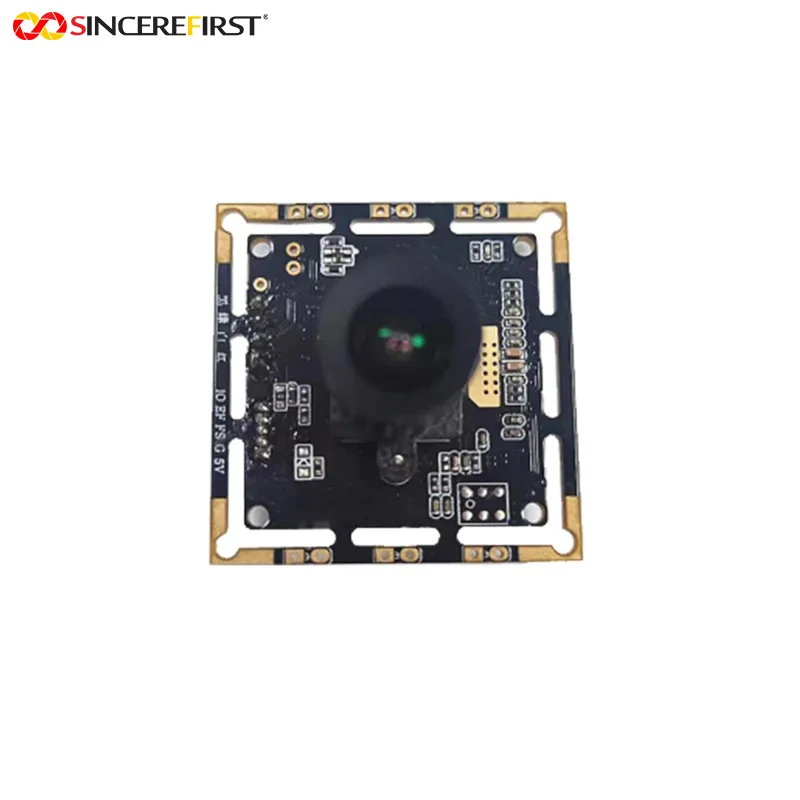

2. Software and Driver Aspects
Up - to - Date Drivers
Using the latest device drivers is crucial for a stable USB connection. Device manufacturers often release driver updates to fix bugs, improve performance, and enhance compatibility. As a supplier, we ensure that we provide our customers with the most recent drivers for the Imx291 USB device. Customers should regularly check our official website for driver updates and install them in a timely manner.
Operating System Compatibility
Verify the compatibility between the Imx291 USB device and the operating system of the host device. Different operating systems may have different USB handling mechanisms. For example, Windows, macOS, and Linux each have their own USB device management features. We test our Imx291 devices on multiple operating systems to ensure broad compatibility. However, customers should also be aware of any potential incompatibilities and follow the relevant installation guides.
Background Processes and Interference
Some background processes on the host device may interfere with the USB connection. For example, antivirus software or other resource - intensive applications may cause conflicts. It's recommended to temporarily disable unnecessary background processes when using the Imx291 USB device. Additionally, some applications that claim to optimize USB performance may not always be beneficial and can sometimes cause more problems.
3. Environmental Factors
Temperature and Humidity
Extreme temperature and humidity can affect the performance of electronic devices, including the Imx291 USB connection. High temperatures can cause components to overheat and degrade, while high humidity can lead to condensation and corrosion. It's advisable to use the Imx291 device in an environment with a stable temperature and humidity range. Industrial - grade applications may require additional temperature and humidity control measures.
Electromagnetic Interference (EMI)
Electromagnetic interference can disrupt the USB signal. Sources of EMI can include other electronic devices, power lines, or radio frequency sources. To minimize the impact of EMI, keep the Imx291 USB device away from potential interference sources. Using shielded USB cables can also help reduce the effects of EMI.
4. Testing and Troubleshooting
Regular Testing
Regularly testing the Imx291 USB connection can help detect and resolve potential issues before they become major problems. There are various testing tools available that can check the data transfer rate, connection stability, and power consumption. We provide our customers with guidance on using these testing tools to ensure the optimal performance of their Imx291 devices.
Troubleshooting Steps
When a connection problem occurs, there are several troubleshooting steps that can be taken. First, try disconnecting and reconnecting the USB cable. Sometimes, a simple re - connection can resolve temporary connection issues. If the problem persists, check the hardware components such as the cable, USB port, and power supply. Switch to a different USB cable or port to see if the problem is resolved.
In addition to ensuring the stability of the Imx291 USB connection, we also offer a variety of other camera modules. For example, the OV9281 Camera Module is a great option for applications that require a different set of features. The 8mp External Trigger Webcam Android Waterproof Inspection USB2.0 Camera Module is suitable for Android - based inspection applications. And the WDR Ultra - Low Light 4K 8MP IMX415 CMOS IP Camera Module provides high - quality imaging in low - light conditions.
If you are interested in our Imx291 USB products or any of the other camera modules mentioned above, we invite you to get in touch with us for purchasing and negotiation. Whether you need a single device for testing or a large - scale order for your project, we are ready to provide you with the best solutions and services.
References
- USB Implementers Forum. "USB 3.0 Specification."
- Camera module manufacturers' product manuals and technical documents related to Imx291, OV9281, IMX415 etc.
- Academic research papers on image sensor performance and USB connection stability."