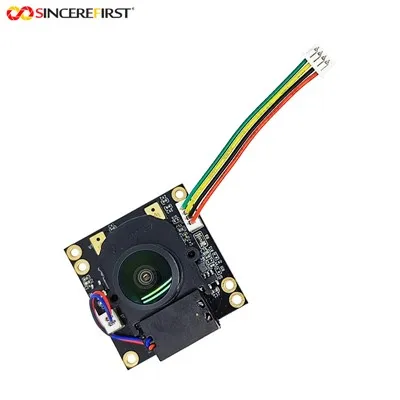
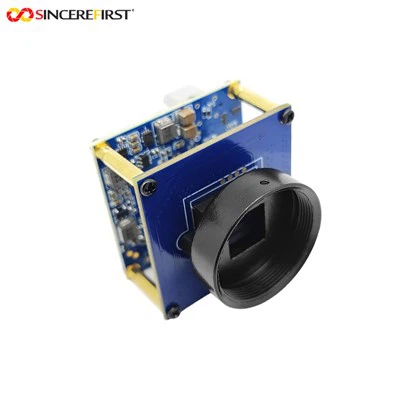
Hey there! As a supplier of Dvp Camera Modules, I often get asked if these nifty little gadgets can be integrated with other smart home devices. Well, let's dive right into it and explore this topic.
First off, let's talk a bit about what Dvp Camera Modules are. These modules are essentially high - tech cameras that use the DVP (Digital Video Port) interface. They come in various models, like the OV5640 5MP ESP32 Cam DVP Camera Module, the DVP Interface 5MP OV5640 Camera Module, and the OV3660 DVP Camera Module. Each of these has its own unique features and capabilities, but they all share the common goal of capturing high - quality video and images.


Now, can they be integrated with other smart home devices? The short answer is yes! And there are several reasons why this integration can be a game - changer for your smart home.
Compatibility with Smart Home Hubs
One of the key ways Dvp Camera Modules can be integrated is through smart home hubs. These hubs act as the central control unit for all your smart home devices. Popular hubs like Amazon Echo with Alexa or Google Home can communicate with Dvp Camera Modules. For example, you can set up voice commands to access the camera feed. Say something like, "Alexa, show me the living room camera," and if your Dvp Camera Module is properly integrated, you'll be able to see the live feed on your compatible device, like a tablet or a smart TV.
The integration process usually involves connecting the camera module to the same Wi - Fi network as the smart home hub. Then you use the hub's app to add the camera as a new device. Most Dvp Camera Modules support standard communication protocols, which makes it relatively easy to pair them with these hubs.
Linking with Smart Locks
Another great integration option is with smart locks. Imagine coming home late at night, and as you approach your door, the Dvp Camera Module detects your movement. It can then send a signal to your smart lock to unlock the door automatically. This not only adds a layer of convenience but also enhances security. You can review the camera footage later to see who entered your home and when.
To set this up, you'll need to use the APIs (Application Programming Interfaces) provided by both the Dvp Camera Module and the smart lock. Many modern smart locks have open APIs that allow for seamless integration with other devices. You can write a simple script or use a pre - built integration service to connect the two devices.
Working with Smart Lighting Systems
Dvp Camera Modules can also be integrated with smart lighting systems. For instance, if the camera detects motion in a room, it can trigger the lights to turn on. This is especially useful in areas like hallways or basements where you might not want to fumble for a light switch in the dark.
Most smart lighting systems, such as Philips Hue or LIFX, have their own apps that support device integration. You can use these apps to create custom rules. For example, you can set the lights to turn on at a certain brightness level when the camera detects movement between a specific time range, like from 6 PM to 6 AM.
Security and Monitoring with Alarm Systems
Integrating Dvp Camera Modules with home alarm systems is a no - brainer for security - conscious homeowners. When the camera detects suspicious activity, like an unauthorized person trying to enter your home, it can trigger the alarm system. The alarm can then send notifications to your phone, alerting you of the potential threat.
Moreover, the camera can record the incident, providing valuable evidence in case of a break - in. You can set up the camera to start recording as soon as it senses motion or when the alarm is triggered. The recorded footage can be stored locally on an SD card in the camera module or in the cloud for easy access.
Challenges in Integration
While the integration of Dvp Camera Modules with other smart home devices offers many benefits, there are also some challenges. One of the main issues is compatibility. Not all devices support the same communication protocols. For example, some older smart home devices might not be able to communicate with the Dvp Camera Module due to differences in their software or hardware.
Another challenge is privacy and security. When you integrate multiple devices, you increase the attack surface for potential hackers. It's crucial to ensure that all your devices are using the latest security patches and that you're using strong passwords and encryption.
Tips for Successful Integration
To make the integration process smoother, here are some tips:
- Research Compatibility: Before buying a Dvp Camera Module or any other smart home device, check their compatibility lists. Look for devices that support common communication protocols like Wi - Fi, ZigBee, or Z - Wave.
- Update Firmware Regularly: Keep the firmware of your Dvp Camera Module and all other smart home devices up - to - date. This helps to fix bugs and improve security.
- Use a Secure Network: Make sure your home Wi - Fi network is secure. Use a strong password and enable WPA2 or WPA3 encryption.
- Test the Integration: Once you've completed the integration, test it thoroughly. Try different scenarios, like triggering the camera to see if it properly communicates with other devices.
Conclusion
In conclusion, Dvp Camera Modules can definitely be integrated with other smart home devices, and the benefits are numerous. From enhancing convenience to improving security, the possibilities are endless. Whether you're looking to create a fully automated smart home or just add a few useful integrations, Dvp Camera Modules are a great choice.
If you're interested in purchasing Dvp Camera Modules for your smart home integration projects, feel free to reach out to us. We have a wide range of high - quality camera modules that are easy to integrate and offer excellent performance. Let's work together to make your smart home even smarter!
References
- Smart Home Technology: Concepts, Methodologies, Tools, and Applications.
- Internet of Things: Principles and Paradigms.
- Home Automation: A Comprehensive Guide.