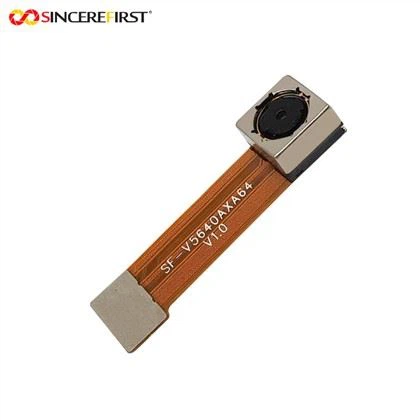
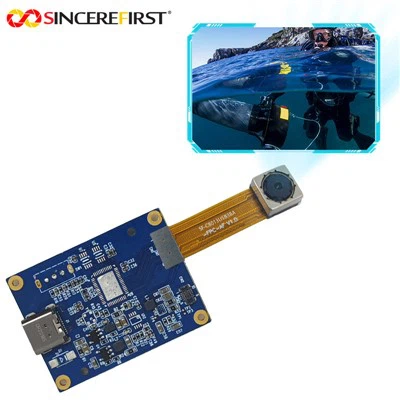
Hey there! I'm a supplier of the H264 Camera Module, and I often get asked about how to access the recorded videos of these camera modules remotely. It's a super important topic, especially for those who need to keep an eye on things from afar. So, let's dive right in and explore the ways to achieve this.
Understanding the H264 Camera Module
First off, let's quickly go over what the H264 Camera Module is all about. The H264 is a widely used video compression standard. It allows for high - quality video recording while keeping the file sizes relatively small. This is a huge advantage when it comes to storage and bandwidth usage. Our H264 Camera Module is designed to be reliable and efficient, making it a great choice for various applications like security monitoring, industrial inspection, and home surveillance.
Prerequisites for Remote Access
Before we can start accessing the recorded videos remotely, there are a few things we need to have in place.
1. Network Connection
The camera module needs to be connected to a network. This can be either a local area network (LAN) or a wide area network (WAN). For most home and small - business setups, a Wi - Fi or Ethernet connection is sufficient. If you're using it in an industrial setting, a more robust wired network might be required.
2. Storage
The camera module should have a proper storage system. This could be an internal SD card or an external hard drive. Make sure the storage has enough space to hold the recorded videos.
3. Server or Cloud Service
To access the videos remotely, you'll need a server or a cloud service. A server can be set up on - site if you have the technical know - how and resources. However, using a cloud service is often more convenient as it eliminates the need for local server maintenance.
Methods of Remote Access
1. Using a Mobile App
Most of our camera modules are compatible with mobile apps. Here's how you can use a mobile app to access the recorded videos remotely:
- Download the App: First, download the dedicated app for our H264 Camera Module from the app store. It's available for both iOS and Android devices.
- Connect the Camera: Open the app and follow the instructions to connect the camera module to the app. You'll need to enter the camera's IP address or scan a QR code, depending on the setup.
- Access Recorded Videos: Once the camera is connected, you can navigate to the recorded videos section in the app. You can then play, download, or delete the videos as needed.
2. Web - Based Access
If you prefer using a web browser, you can also access the recorded videos remotely through a web interface.
- Find the Camera's IP Address: You can usually find the camera's IP address in its settings menu. Make sure your device (the one you're using to access the videos) is on the same network or has proper remote access permissions.
- Open the Web Interface: Open a web browser and enter the camera's IP address in the address bar. You'll be prompted to enter your username and password.
- Navigate to Recorded Videos: Once logged in, look for the option to view recorded videos. You can then browse through the video files and play them directly in the browser.
3. Cloud - Based Solutions
Cloud - based solutions offer a hassle - free way to access recorded videos remotely.
- Choose a Cloud Service: There are many cloud services available that are compatible with our camera modules. Sign up for a cloud service and follow the instructions to link your camera module to the service.
- Upload Recorded Videos: The camera module will automatically upload the recorded videos to the cloud. You can then access these videos from any device with an internet connection and the appropriate login credentials.
Troubleshooting Remote Access Issues
Sometimes, you might run into issues when trying to access the recorded videos remotely. Here are some common problems and their solutions.
1. Network Connectivity Issues
If you're having trouble connecting to the camera remotely, check your network settings. Make sure your device and the camera are on the same network or that you have proper remote access permissions. You can also try restarting your router and the camera module.
2. Login Problems
If you can't log in to the camera's web interface or mobile app, double - check your username and password. If you've forgotten your password, you can usually reset it through the camera's settings.


3. Storage Full
If you're unable to access the latest recorded videos, it could be because the storage is full. Delete some old videos or upgrade your storage to free up space.
Other Camera Modules in Our Range
In addition to the H264 Camera Module, we also offer other high - quality camera modules.
- The 4K Industrial Vision IR Filter AR2020 CMOS USB Camera Module is great for industrial applications that require high - resolution imaging. It has advanced features like an IR filter, which makes it suitable for use in different lighting conditions.
- The Compact IR - CUT Switcher 1080P Sony IMX662 CMOS Sensor USB Camera Module is another excellent option. It uses a Sony IMX662 CMOS sensor, which provides clear and sharp images. The IR - CUT switcher helps in achieving better color accuracy in different lighting environments.
Conclusion
Accessing the recorded videos of the H264 Camera Module remotely is not as complicated as it might seem. With the right setup and a bit of troubleshooting, you can easily keep an eye on your recordings from anywhere in the world. Whether you choose to use a mobile app, web - based access, or a cloud - based solution, our camera modules are designed to make remote access a breeze.
If you're interested in purchasing our H264 Camera Module or any of our other camera modules, feel free to reach out to us for more information and to start a procurement discussion. We're here to help you find the best camera solution for your needs.
References
- General knowledge about H264 video compression and camera module technology.
- Experience and knowledge gained from working as an H264 Camera Module supplier.