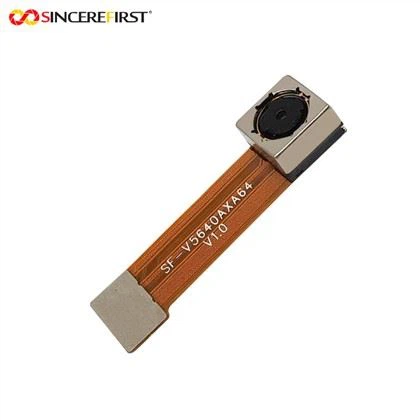
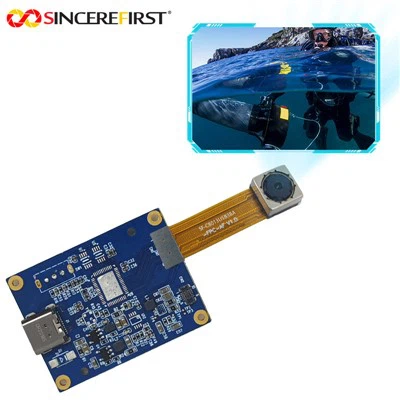
Hey there! As a supplier of H264 Camera Modules, I often get asked about how to clean the lens of these nifty devices. A clean lens is crucial for getting the best performance out of your camera module, whether you're using it for security, surveillance, or any other application. So, let's dive right in and talk about how to keep that lens in tip - top shape.
First things first, why is it important to clean the camera lens? Well, a dirty lens can lead to a bunch of issues. It can cause blurry images, reduce the overall image quality, and even affect the camera's ability to focus properly. Dust, fingerprints, and smudges can all accumulate on the lens over time, especially if the camera is used in an environment where there's a lot of dirt or if it's handled frequently.
Before you start cleaning, you'll need a few tools. You don't need anything fancy, just a few basic items that you can easily find. A microfiber cloth is a must - have. These cloths are soft and won't scratch the lens. You can also get some lens cleaning solution, but make sure it's designed specifically for camera lenses. Avoid using regular household cleaning products as they can damage the lens coating.


Now, let's get to the cleaning process. The first step is to turn off the camera module. This is important for safety reasons and also to prevent any electrical interference while you're cleaning. Once the camera is off, gently remove it from its mounting if possible. This will give you better access to the lens.
Take your microfiber cloth and give the lens a gentle wipe. Start from the center of the lens and work your way out in a circular motion. This helps to prevent pushing dirt and debris into the edges of the lens. If there are just some light dust particles, this might be enough to clean the lens.
But what if there are stubborn fingerprints or smudges? That's where the lens cleaning solution comes in. Put a few drops of the solution on the microfiber cloth, not directly on the lens. Then, gently wipe the lens again in the same circular motion. Be careful not to apply too much pressure, as you don't want to damage the lens.
After you've wiped the lens with the damp cloth, take a dry part of the microfiber cloth and give the lens a final dry - wipe to remove any remaining moisture. Make sure the lens is completely dry before you put the camera module back in place.
Now, I want to mention some of the great H264 Camera Modules we offer. We have the USB3.0 High Speed Sensor IMX385 Security Night Vision Device Star Light Camera Module. This module is perfect for security applications, especially at night. It has a high - speed sensor and great night - vision capabilities.
Another awesome option is the 4MP Sony IMX347 HDR Color Fixed Focus USB Camera Module. With 4MP resolution and HDR color, it can capture high - quality images in a variety of lighting conditions.
And if you're looking for something more advanced, check out the Free Drive Snoy 8MP IMX415 Wifi Board CMOS Machine Vision System Camera Module. It's great for machine vision systems and has an 8MP sensor and Wi - Fi connectivity.
When it comes to cleaning these modules, the process is pretty much the same as I described above. Just make sure you're gentle and use the right tools.
Now, let's talk about some common mistakes to avoid when cleaning the lens. One big mistake is using a rough cloth. As I mentioned earlier, a microfiber cloth is the way to go. Using a paper towel or a regular cloth can scratch the lens, which will permanently damage it.
Another mistake is spraying the cleaning solution directly on the lens. This can cause the solution to seep into the camera module, which can damage the internal components. Always put the solution on the cloth first.
Also, don't clean the lens when it's hot. If the camera has been in use for a while, let it cool down before you start cleaning. Heat can make the lens more prone to damage.
In addition to regular cleaning, it's also a good idea to take some preventive measures. If the camera is used in a dusty environment, you can use a lens hood or a protective cover. This will help to keep dust and debris away from the lens.
If you're not sure how to clean the lens or if you're having any issues with your H264 Camera Module, don't hesitate to reach out. We're here to help you get the most out of your camera. Whether you're a small business owner looking for a security camera or a tech enthusiast working on a project, we have the right camera module for you.
If you're interested in purchasing any of our H264 Camera Modules or have any questions about our products, feel free to contact us. We'd love to have a chat with you about your needs and how our products can meet them. Our team of experts is always available to provide you with the best advice and support. So, don't wait any longer. Let's start this exciting journey of high - quality imaging together!
References
- General knowledge about camera lens cleaning
- Product specifications of H264 Camera Modules