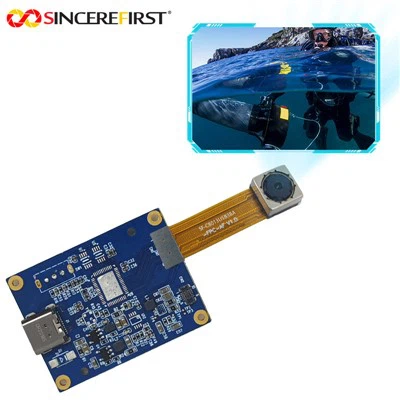
Hey there! I'm a supplier of OV5640 Autofocus. In today's blog, I'm gonna share some tips on how to optimize the OV5640 autofocus for low - resolution applications.


First off, let's understand the OV5640. It's a pretty popular image sensor, known for its decent performance in various imaging scenarios. But when it comes to low - resolution applications, there are some unique challenges and opportunities for optimization.
Understanding the Low - Resolution Context
Low - resolution applications often have different requirements compared to high - res ones. For example, in some industrial inspection tasks where you only need to detect the presence or absence of a large object, or in simple surveillance systems where you just want to get a general view of an area, high - resolution isn't necessary. In these cases, we can focus on optimizing the autofocus to work more efficiently and accurately for the specific low - res needs.
One of the key things to note is that the depth of field in low - resolution applications can be different. Since the image is less detailed, the acceptable range of sharpness might be broader. This means we can adjust the autofocus algorithm to take advantage of this broader depth of field.
Optimizing the Autofocus Algorithm
The autofocus algorithm is the heart of getting the best results from the OV5640 in low - resolution applications. There are a few ways we can tweak it.
Contrast - Based Autofocus
Most autofocus systems, including the OV5640, use contrast - based autofocus. The basic idea is to move the lens until the contrast in the image is maximized. In low - resolution applications, we can simplify this process. Instead of analyzing a large number of pixels, we can focus on a smaller region of interest (ROI). This ROI can be selected based on the area where the important information is likely to be. For example, if we're using the camera for a barcode scanning application, we can set the ROI around the area where the barcode is expected to be.
By reducing the analysis area, we can speed up the autofocus process. The OV5640 can then quickly adjust the lens position to get the best focus in that specific area. And since we're dealing with low - resolution, a small ROI is often sufficient to capture the necessary details.
Adaptive Step Sizes
Another way to optimize the autofocus algorithm is by using adaptive step sizes. When the camera is far from the correct focus position, we can use larger step sizes to quickly move the lens towards the right place. As we get closer to the optimal focus, we can reduce the step sizes to fine - tune the focus. This can significantly reduce the overall autofocus time, which is especially important in applications where real - time performance is crucial.
Hardware Considerations
It's not just about the algorithm; the hardware also plays a big role in optimizing the OV5640 autofocus for low - resolution applications.
Lens Selection
The choice of lens can have a huge impact on the autofocus performance. For low - resolution applications, we might not need a high - end, expensive lens. A simpler lens with a wider aperture can be a good choice. A wider aperture allows more light to enter the camera, which can improve the contrast in the image and make it easier for the autofocus algorithm to work.
Also, the focal length of the lens matters. A shorter focal length can provide a wider field of view, which is useful in many low - res applications like general surveillance. And some lenses are designed to have better performance at lower resolutions, so it's worth doing some research and testing different lenses to find the best fit for your specific application.
Sensor Settings
The OV5640 has various sensor settings that can be adjusted to work better in low - resolution scenarios. For example, we can adjust the gain and exposure time. In low - light situations, increasing the gain can make the image brighter, but it also adds noise. So, we need to find the right balance. By adjusting the exposure time, we can control how much light hits the sensor, which can again affect the contrast and the autofocus performance.
Testing and Validation
Once we've made all these optimizations, it's crucial to test and validate the results. We can use a test target with known features to check the accuracy of the autofocus. For example, we can use a target with different patterns and measure how well the OV5640 can focus on them.
We can also test the autofocus in different lighting conditions and distances to make sure it works reliably in real - world scenarios. And don't forget to test the performance over time. The autofocus performance can degrade due to factors like temperature changes and mechanical wear, so it's important to monitor and adjust as needed.
Our Related Products
If you're interested in exploring more autofocus camera modules, we have some great options. Check out our Industrial Autofocus Machine Vision USB Camera Module Hd Wide Fov. It's designed for industrial applications and offers excellent autofocus performance.
We also have the 4K 8MP Sony IMX179 Digital Autofocus Camera Module, which provides high - quality imaging along with precise autofocus. And for those looking for a 5MP option, our OV5648 5MP Auto Focus USB Camera Module is a great choice.
Let's Connect
If you're looking to optimize your low - resolution imaging applications with the OV5640 autofocus or are interested in any of our other products, I'd love to hear from you. Whether you have questions, need more information, or are ready to start a procurement discussion, feel free to reach out. We're here to help you get the best imaging solutions for your needs.
References
- "Image Sensor Handbook" by some well - known authors in the field.
- Various technical documents from the OV5640 manufacturer.
- Research papers on autofocus algorithms for low - resolution imaging.